> ## Documentation Index
> Fetch the complete documentation index at: https://docs.figr.design/llms.txt
> Use this file to discover all available pages before exploring further.
# Canvas overview
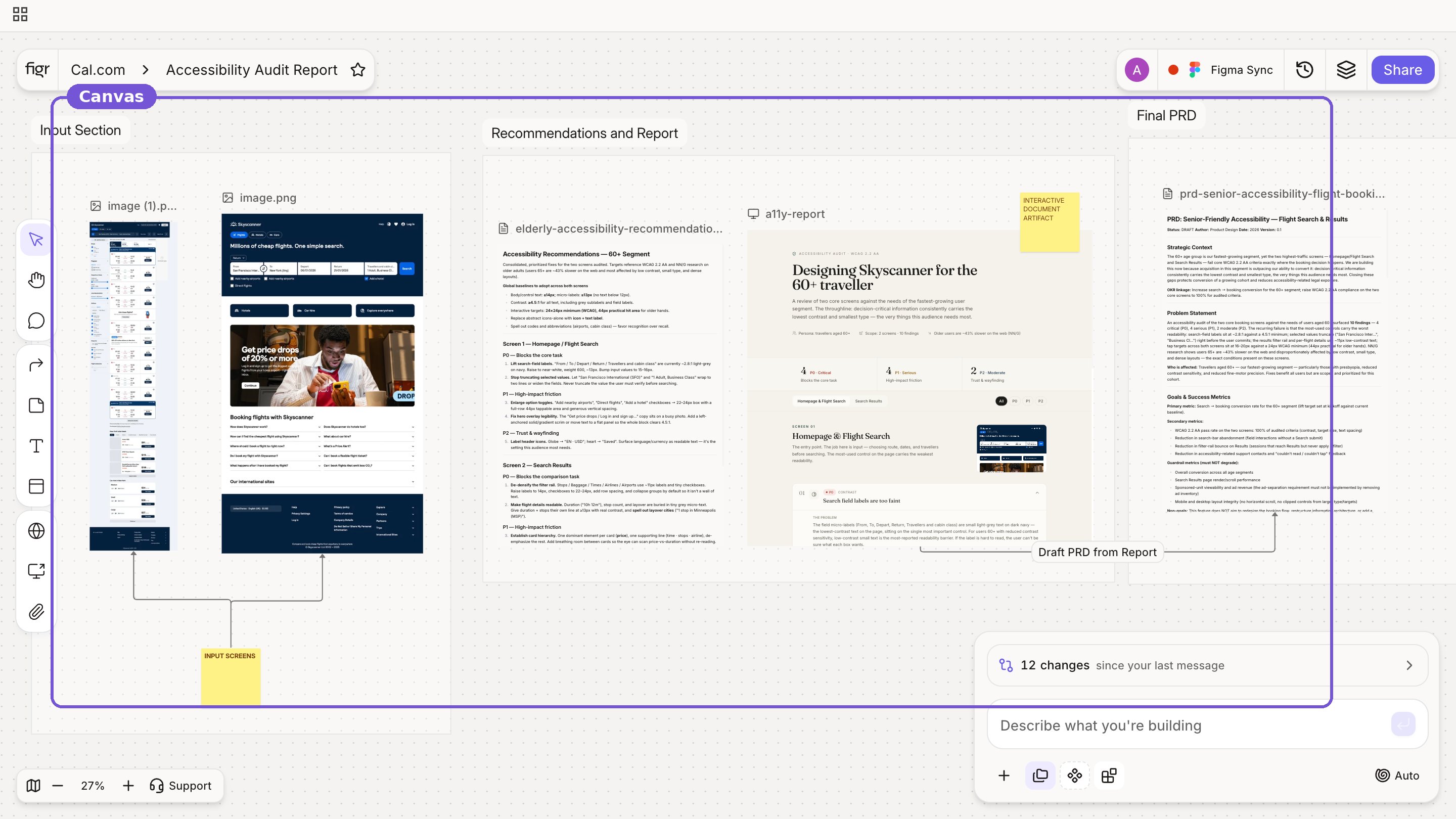
> The canvas is your visual workspace where context, artifacts, and prototypes live together.
It is not a blank chat. It is where everything Figr does comes together.
On the canvas you can:
* Add screens and references
* Keep docs and prototypes side by side
* Annotate with notes and comments
* Reason from visible context, not just text
* Compare directions next to each other
* Interact with generated prototypes
* Track versions of any item
* Organize work into sections
* Collaborate with your team
{/* VIDEO: canvas walkthrough */}
 On the canvas you can:
* Add screens and references
* Keep docs and prototypes side by side
* Annotate with notes and comments
* Reason from visible context, not just text
* Compare directions next to each other
* Interact with generated prototypes
* Track versions of any item
* Organize work into sections
* Collaborate with your team
{/* VIDEO: canvas walkthrough */}
On the canvas you can:
* Add screens and references
* Keep docs and prototypes side by side
* Annotate with notes and comments
* Reason from visible context, not just text
* Compare directions next to each other
* Interact with generated prototypes
* Track versions of any item
* Organize work into sections
* Collaborate with your team
{/* VIDEO: canvas walkthrough */}