> ## Documentation Index
> Fetch the complete documentation index at: https://docs.figr.design/llms.txt
> Use this file to discover all available pages before exploring further.
# Export Options
> Export is a handoff decision, not one final button.
{/* SCREENSHOT — replace src with /images/export-and-share/07-01-export-options.png once captured */}
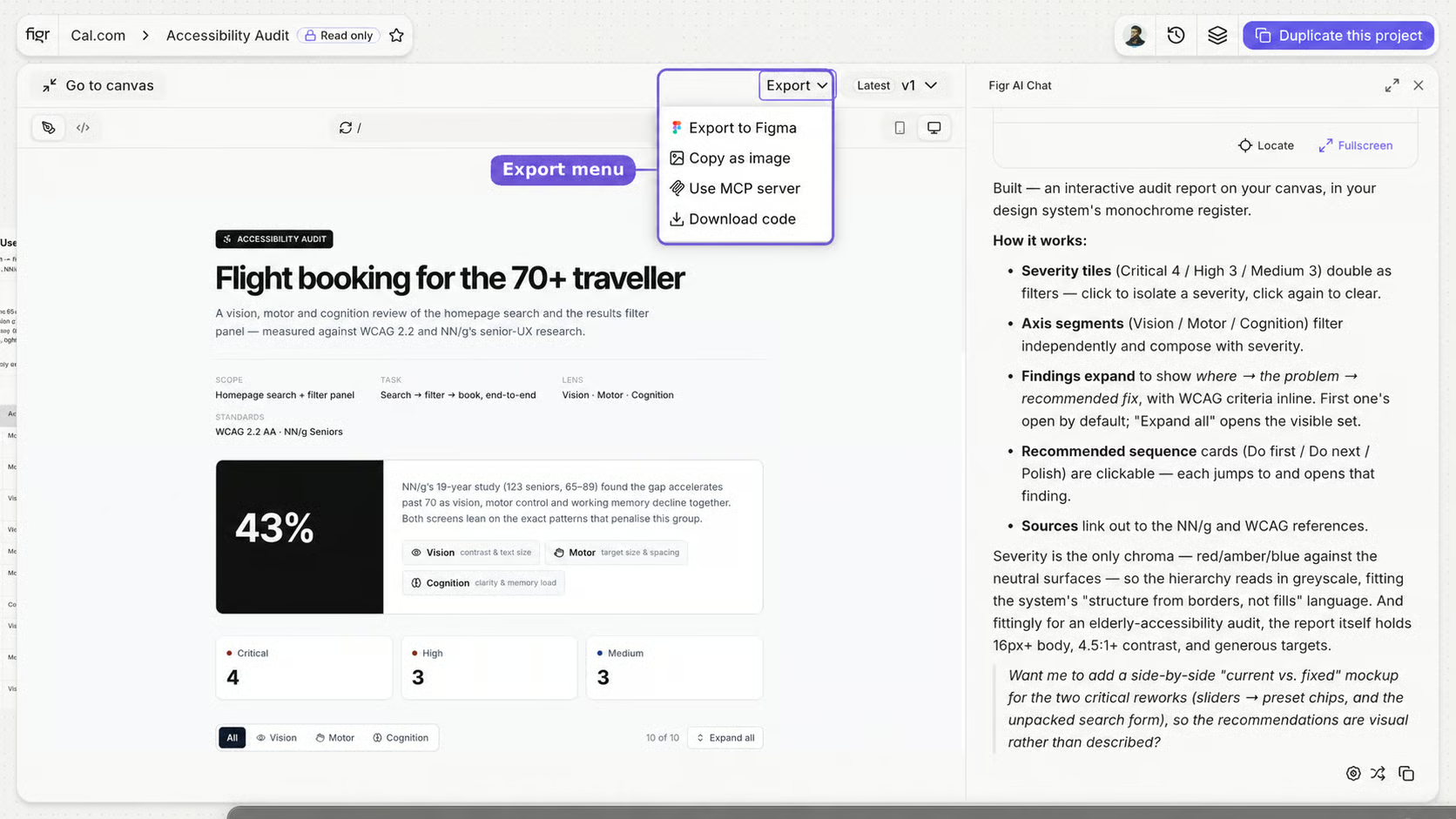
 Export is a handoff decision. Ask where the work goes next, design, review, engineering, or approval, then pick the path:
* A designer needs to polish it, **export to Figma**.
* Stakeholders need to review it, **publish or share a prototype URL**.
* Engineering is ready to build, move toward **code or MCP**.
Editable frames for a designer to continue.
A public link for review, or full project access.
A front-end starting point for implementation.
Project context for an AI coding assistant.
Figr's job is to make sure what you hand off has real product context behind it, not just pixels.
Export is a handoff decision. Ask where the work goes next, design, review, engineering, or approval, then pick the path:
* A designer needs to polish it, **export to Figma**.
* Stakeholders need to review it, **publish or share a prototype URL**.
* Engineering is ready to build, move toward **code or MCP**.
Editable frames for a designer to continue.
A public link for review, or full project access.
A front-end starting point for implementation.
Project context for an AI coding assistant.
Figr's job is to make sure what you hand off has real product context behind it, not just pixels.