> ## Documentation Index
> Fetch the complete documentation index at: https://docs.figr.design/llms.txt
> Use this file to discover all available pages before exploring further.
# Publish and Share
> Share one artifact publicly, or give your team access to the full project.
Publish and Share is how people see your work outside your Canvas. Publish one artifact as a public page, or share the whole project with your team.
 ## Publish an artifact
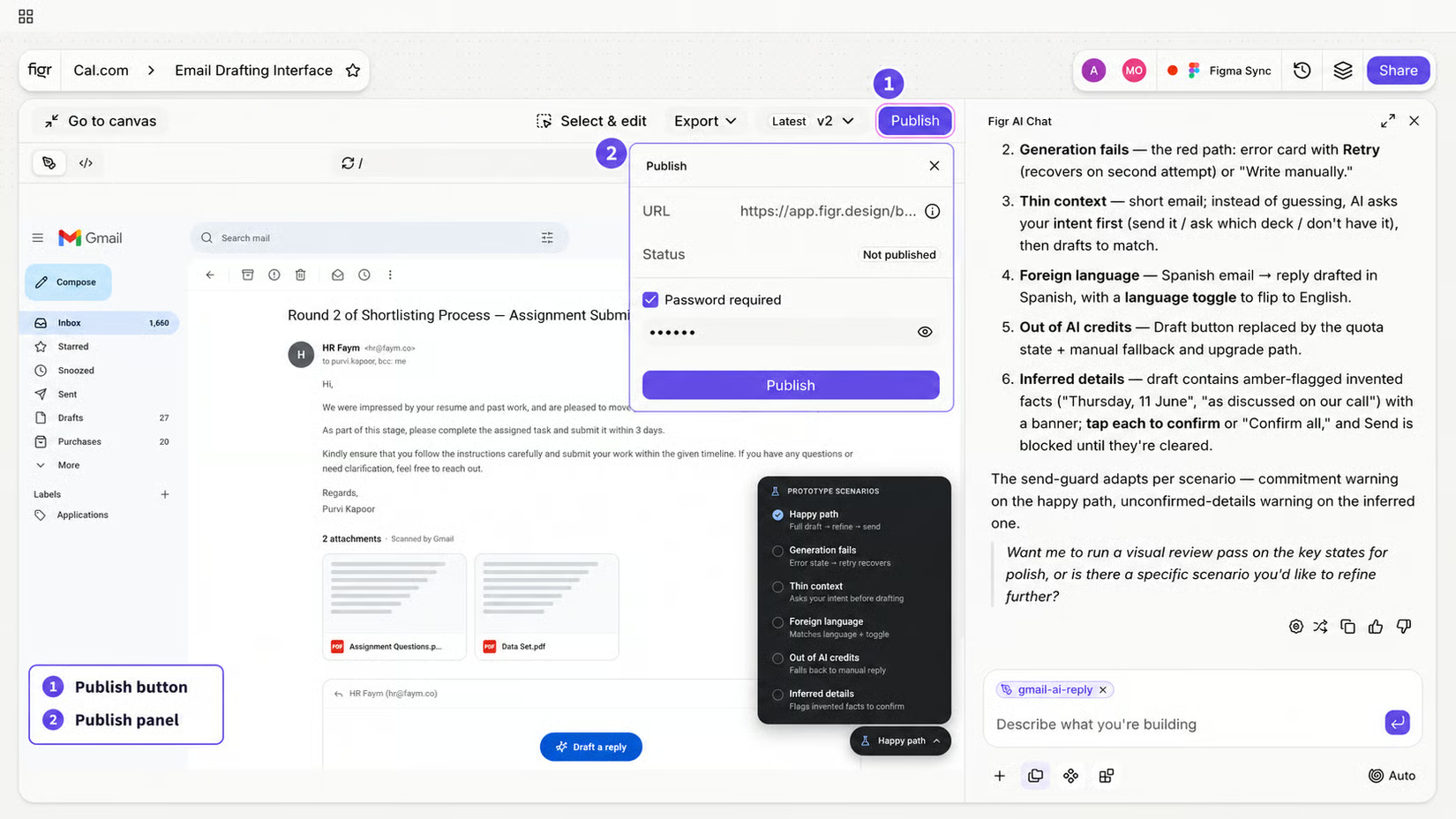
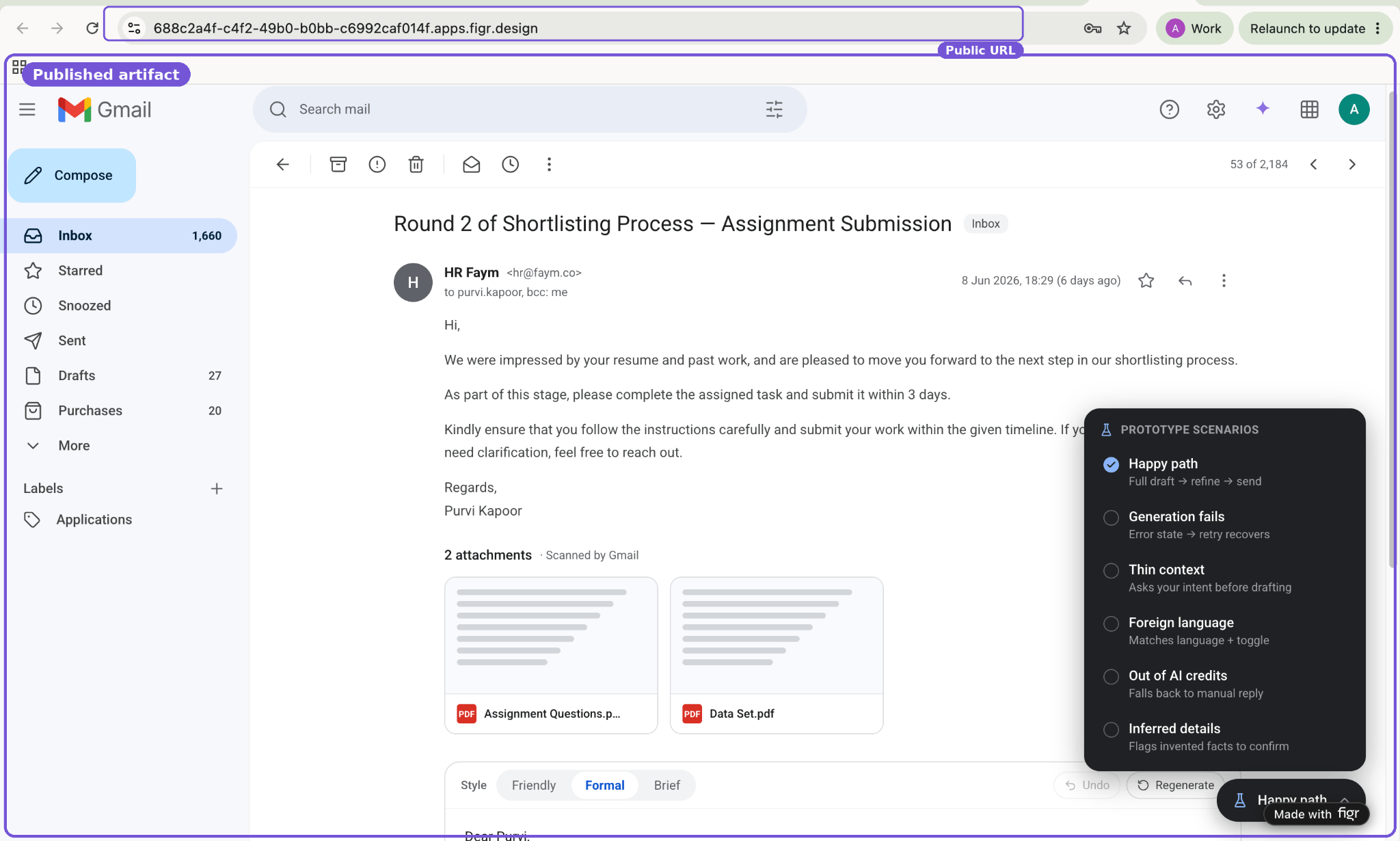
Turn one item into a public page so someone can review a single prototype, design direction, or artifact without seeing the full Canvas. For example: share a prototype with a stakeholder, send a direction to a client, or post a public review link. Published artifacts open through a public URL. Depending on your settings, you may also be able to add password protection.
{/* SCREENSHOT — replace src with /images/export-and-share/07-04-published-page.png once captured */}
## Publish an artifact
Turn one item into a public page so someone can review a single prototype, design direction, or artifact without seeing the full Canvas. For example: share a prototype with a stakeholder, send a direction to a client, or post a public review link. Published artifacts open through a public URL. Depending on your settings, you may also be able to add password protection.
{/* SCREENSHOT — replace src with /images/export-and-share/07-04-published-page.png once captured */}
 ## Share a project
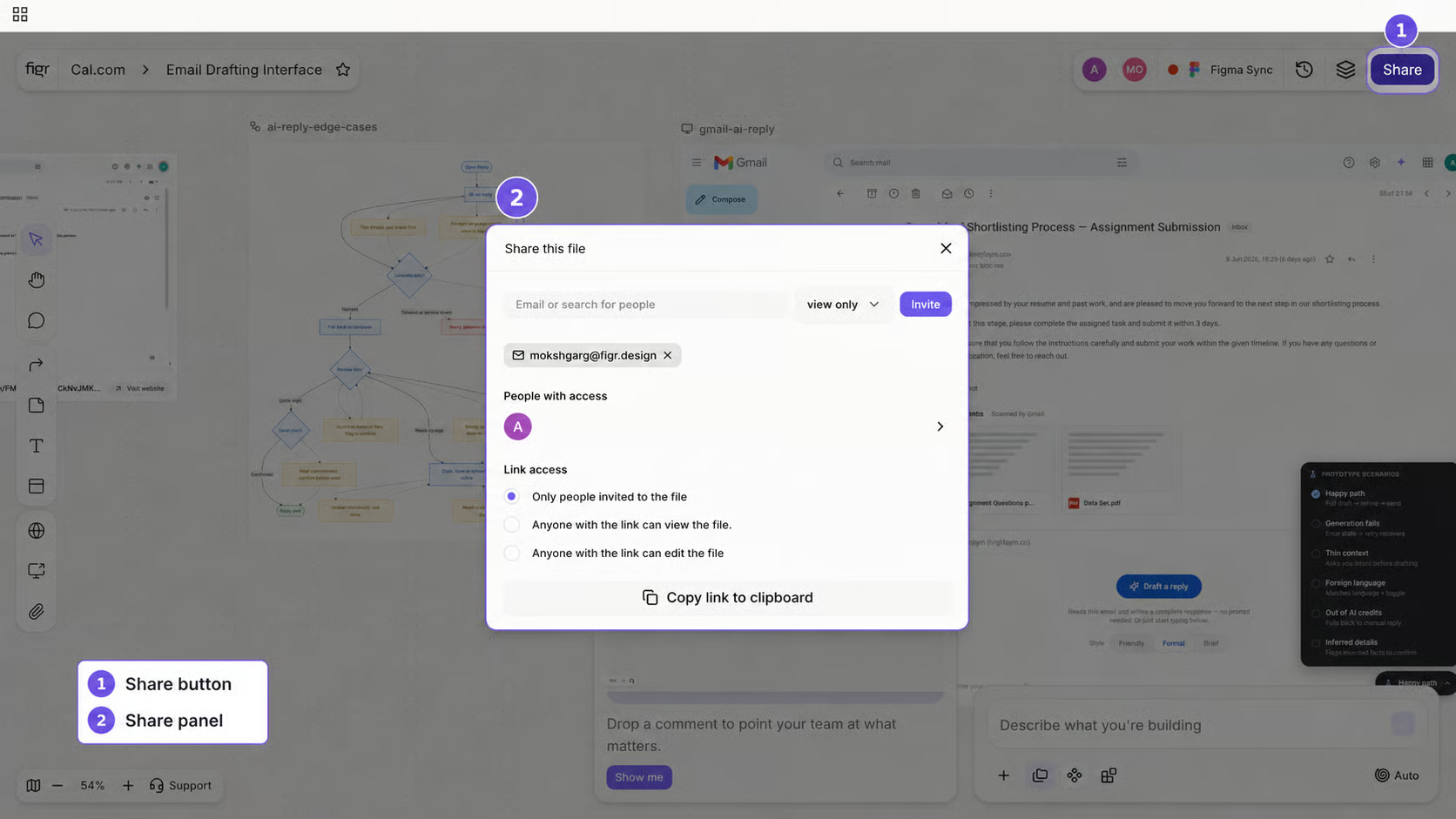
Give someone access to the full project, not just one public artifact. Use it when a teammate needs to view, edit, or collaborate on the whole Canvas: a designer refining outputs, a PM reviewing flows and PRDs, or an engineer inspecting implementation context.
{/* SCREENSHOT — replace src with /images/export-and-share/07-04-project-share.png once captured */}
## Share a project
Give someone access to the full project, not just one public artifact. Use it when a teammate needs to view, edit, or collaborate on the whole Canvas: a designer refining outputs, a PM reviewing flows and PRDs, or an engineer inspecting implementation context.
{/* SCREENSHOT — replace src with /images/export-and-share/07-04-project-share.png once captured */}
 ## Related
Choose the right handoff path.
Choose the right handoff path.
## Related
Choose the right handoff path.
Choose the right handoff path.