> ## Documentation Index
> Fetch the complete documentation index at: https://docs.figr.design/llms.txt
> Use this file to discover all available pages before exploring further.
# Brainstorm ideas
> Brainstorm for product thinking before pixels: options, trade-offs, and edge cases.
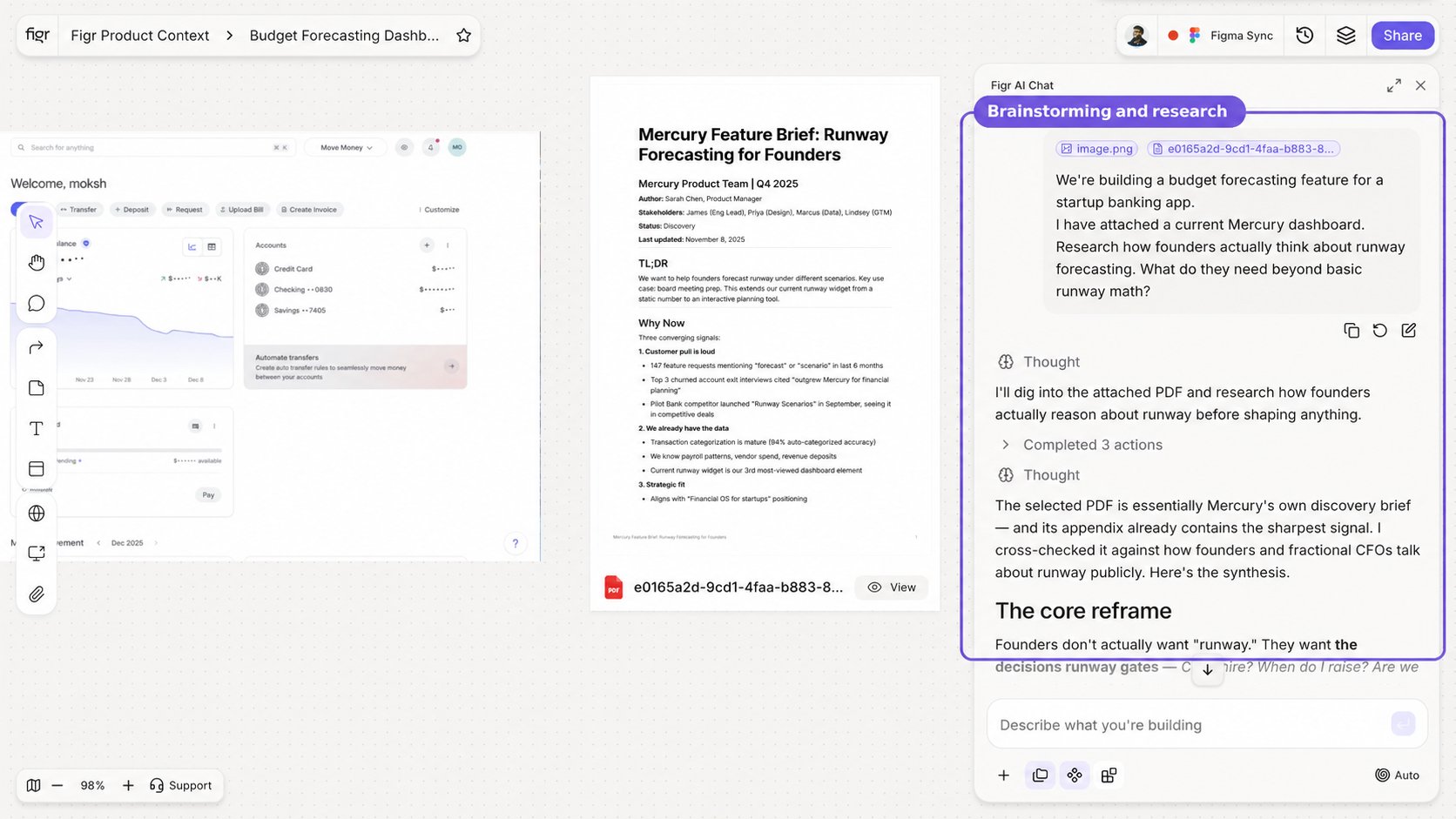
 Use Brainstorm when you are still deciding:
* What the user journey should be
* Which UX approach makes sense
* What edge cases matter
* What the screen should include
* How to structure a product flow
* What trade-offs exist
* What assumptions need to be checked
Good Brainstorm prompts:
* "What are the edge cases for a guest checkout flow?"
* "Compare three onboarding approaches for a B2B analytics tool."
* "Given this PRD, what requirements are unclear from a UX perspective?"
* "Review this feature idea and suggest the safest MVP flow."
Brainstorm outputs can include structured options, trade-off breakdowns, product notes, flow diagrams, PRD-style artifacts, UX risks, and edge case lists.
Use Brainstorm before Design when the problem is unclear.
Use Brainstorm when you are still deciding:
* What the user journey should be
* Which UX approach makes sense
* What edge cases matter
* What the screen should include
* How to structure a product flow
* What trade-offs exist
* What assumptions need to be checked
Good Brainstorm prompts:
* "What are the edge cases for a guest checkout flow?"
* "Compare three onboarding approaches for a B2B analytics tool."
* "Given this PRD, what requirements are unclear from a UX perspective?"
* "Review this feature idea and suggest the safest MVP flow."
Brainstorm outputs can include structured options, trade-off breakdowns, product notes, flow diagrams, PRD-style artifacts, UX risks, and edge case lists.
Use Brainstorm before Design when the problem is unclear.