> ## Documentation Index
> Fetch the complete documentation index at: https://docs.figr.design/llms.txt
> Use this file to discover all available pages before exploring further.
# High Fidelity Prototypes
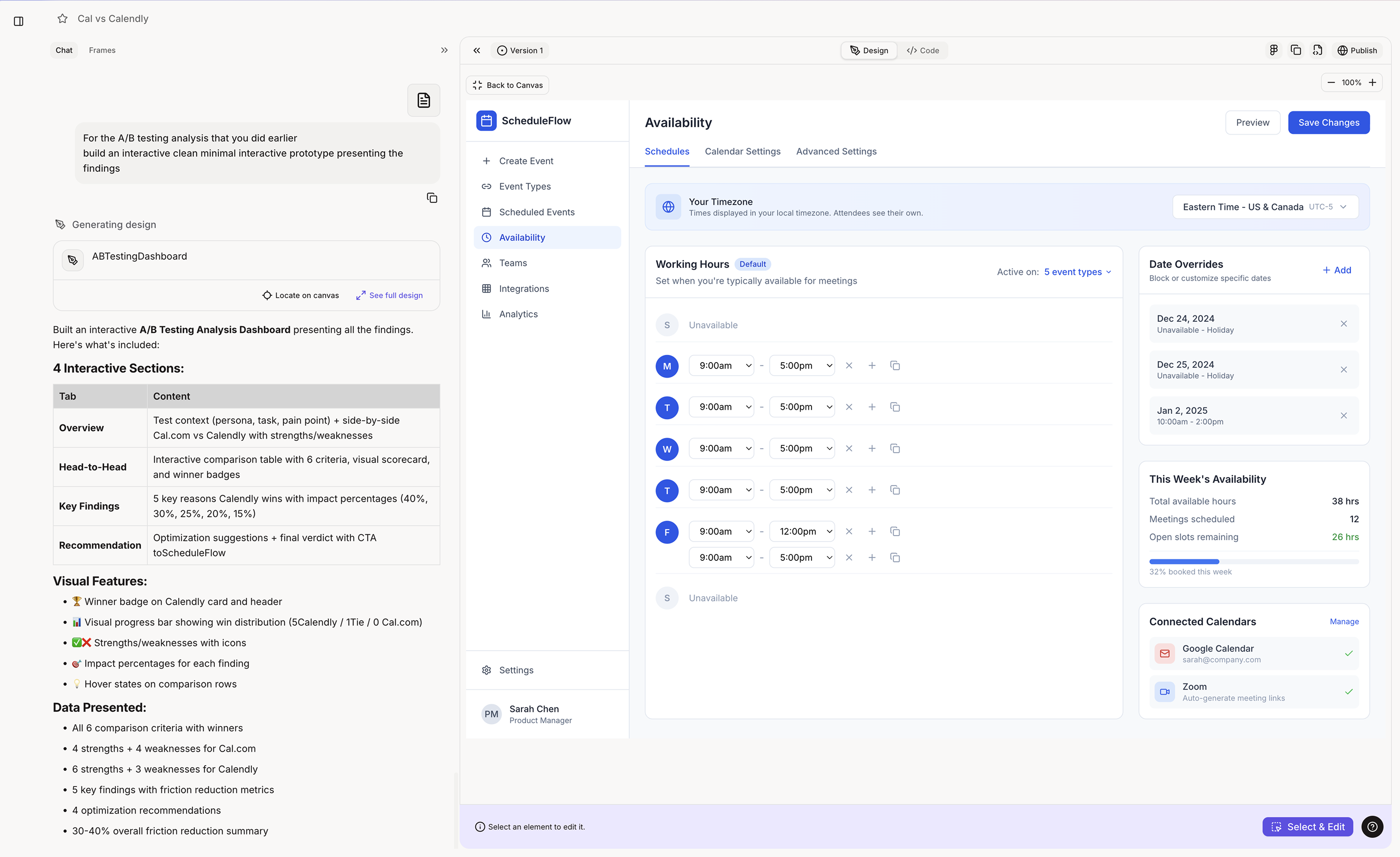
Prototype turns a clear product direction into a high-fidelity screen in your design system. Because Figr already holds your product context and design language, the output uses your existing patterns, components, spacing, typography, and interaction rules. It is Figma-ready and product-native, not a generic mockup you have to clean up.
Real high-fidelity prototypes built with Figr, each in the product's own design system:
A "Since You Left" digest.
A feed soft-mute control.
An AI draft with tone control.
Show it internally, test it externally, hand off to engineering. Days, not weeks. Use Prototype when:
* The product problem is clear
* The key flow is mapped
* Important states are known
* Product context is available
* Design language is added
* Your team needs a visual direction to review Good prototype prompts:
* "Design a customer success dashboard showing account health, open risks, upcoming renewals, and expansion opportunities. Use the attached design system and product context."
* "Generate a billing settings page with plan details, invoices, payment method, and team usage. Follow the existing settings layout and component patterns."
* "Create the empty, loading, and error states for this activity feed using the current product design language."
{/*
*/}
 Real high-fidelity prototypes built with Figr, each in the product's own design system: