> ## Documentation Index
> Fetch the complete documentation index at: https://docs.figr.design/llms.txt
> Use this file to discover all available pages before exploring further.

# What Makes Figr Different

> How Figr's product context and memory set it apart from prompt-based AI design tools.

<Info>
  Figr doesn't just generate screens. It reasons through your product's UX, then designs interfaces that match what you have built.
</Info>

Most AI design tools work like autocomplete: prompt in, screen out. Figr works like a senior designer who already knows your flows, constraints, and design system.

## Product-aware designing

Other tools start from a blank prompt every time, so you re-explain everything and hope the model gets it. Give Figr your real inputs and it designs from them:

* Product specs, so Figr knows your user personas
* A screen share of your app, so Figr learns your navigation patterns
* Your design tokens, so Figr uses your real color palette
* Your analytics, so Figr knows which flows convert

## Memory that compounds

Traditional AI forgets between sessions. Figr keeps your context permanently and gets sharper with every project.

<AccordionGroup>
  <Accordion title="Design system and components">
    Your color tokens, typography scales, spacing, and component library. Figr uses your actual design system in every new design.
  </Accordion>

  <Accordion title="Product context">
    User personas, business goals, technical constraints, and roadmap. Figr designs for your situation, not generic best practices.
  </Accordion>

  <Accordion title="User behavior data">
    Analytics, heatmaps, and research findings. Figr weighs decisions against how people actually use your product.
  </Accordion>

  <Accordion title="Past design decisions">
    Which patterns were chosen, what was tested, and what worked. Figr builds on what already succeeded instead of repeating experiments.
  </Accordion>
</AccordionGroup>

## Production-ready output

<Tabs>
  <Tab title="Component-mapped">
    Figr exports your actual React components, not generic divs, so engineers recognize the code immediately.

    ```jsx theme={null}
        <Button variant="primary" size="large">
          Get Started
        </Button>
    ```

    Not random CSS:

    ```css theme={null}
        .button-1234 { background: #0066cc; padding: 12px 24px; }
    ```
  </Tab>

  <Tab title="Token-mapped">
    Uses your design tokens:

    ```jsx theme={null}
        color: $color-primary-600
        spacing: $spacing-lg
        typography: $text-heading-sm
    ```

    Instead of hardcoded values:

    ```css theme={null}
        color: #1a73e8; margin: 24px; font-size: 18px;
    ```
  </Tab>

  <Tab title="Accessible by default">
    Every design ships with semantic HTML, ARIA labels, and WCAG-compliant patterns, learned from your existing accessible components.
  </Tab>
</Tabs>

## How Figr thinks

Traditional AI takes "generate a login form" at face value. Figr reads it as "a login form for a B2B SaaS product with enterprise SSO, matching your dashboard's navigation, your checkout flow's error handling, and the progressive disclosure from your research."

<Steps>
  <Step title="Understands your product">
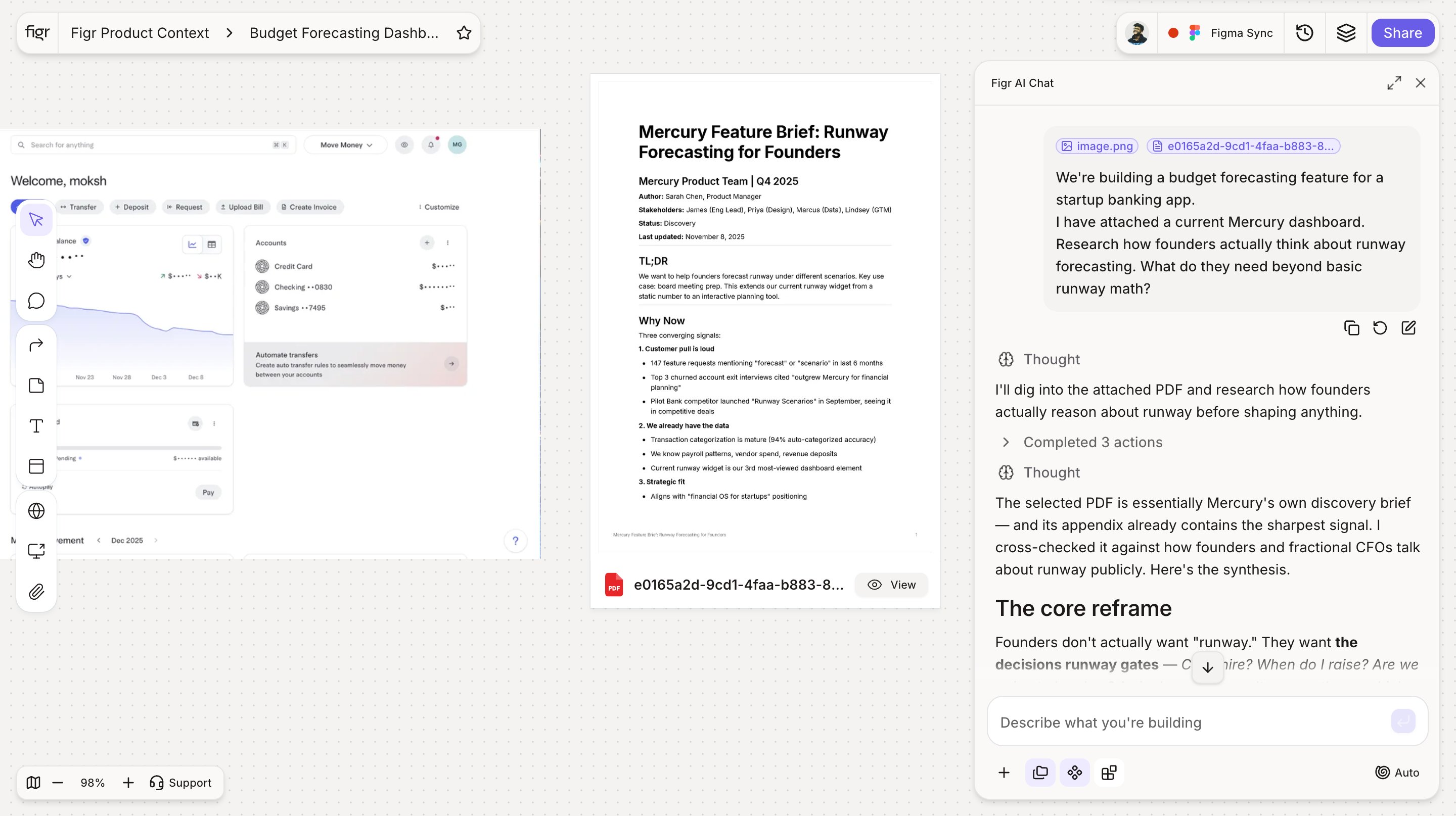
    Analyzes your product, design system, research, and business context.

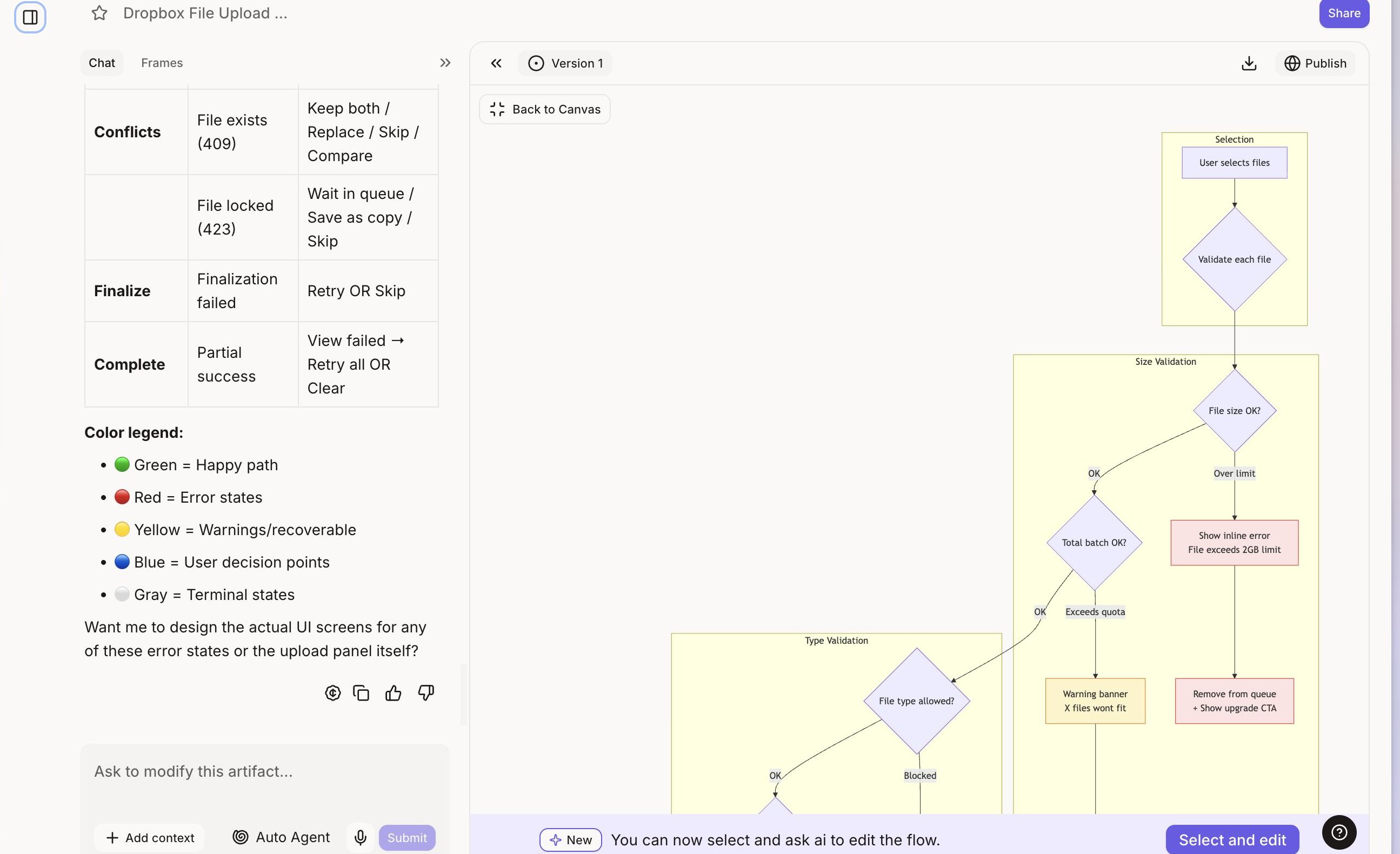
    <Frame caption="Figr reading your product context before it designs.">
      <img src="https://mintcdn.com/figr-1af7ae64/z16Z7ZdXfoZy_c4N/images/01-02-thinks-understands.png?fit=max&auto=format&n=z16Z7ZdXfoZy_c4N&q=85&s=174d4138be3c42d6455efdca9e8faa64" alt="Figr analyzing the team's product, design system, and research" lightAlt="Figr analyzing the team's product, design system, and research" darkAlt="Figr analyzing the team's product, design system, and research" className="dark:hidden" width="2880" height="1615" data-path="images/01-02-thinks-understands.png" />

      <img src="https://placehold.co/1600x900/EEEEEE/31343C?text=01-02-thinks-understands.png" alt="Figr analyzing the team's product, design system, and research" lightAlt="Figr analyzing the team's product, design system, and research" darkAlt="Figr analyzing the team's product, design system, and research" className="hidden dark:block" />
    </Frame>
  </Step>

  <Step title="Applies your context">
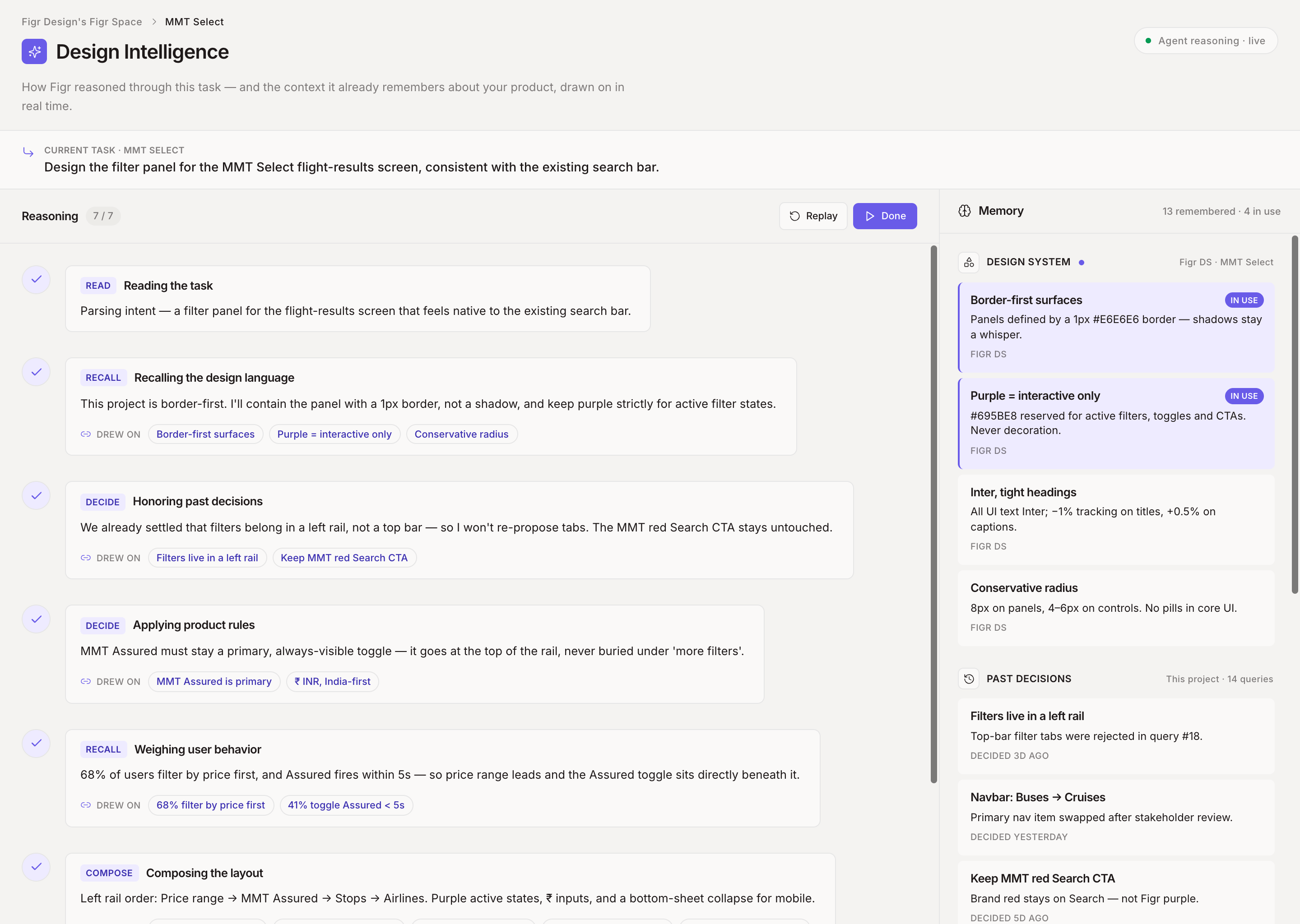
    Ties every design decision to your constraints, users, and goals.

    <Frame caption="Each decision tied to a specific constraint or user need.">
      <img src="https://mintcdn.com/figr-1af7ae64/z16Z7ZdXfoZy_c4N/images/01-03-thinks-applies.png?fit=max&auto=format&n=z16Z7ZdXfoZy_c4N&q=85&s=fd56d38b74f960edeb190512725fd306" alt="Figr mapping design decisions to product constraints and goals" lightAlt="Figr mapping design decisions to product constraints and goals" darkAlt="Figr mapping design decisions to product constraints and goals" className="dark:hidden" width="2590" height="1580" data-path="images/01-03-thinks-applies.png" />

      <img src="https://placehold.co/1600x900/EEEEEE/31343C?text=01-03-thinks-applies.png" alt="Figr mapping design decisions to product constraints and goals" lightAlt="Figr mapping design decisions to product constraints and goals" darkAlt="Figr mapping design decisions to product constraints and goals" className="hidden dark:block" />
    </Frame>
  </Step>

  <Step title="Produces production-ready designs">
    Outputs your components and tokens, so handoff is seamless.

    <Frame caption="A generated screen built from your components and tokens.">
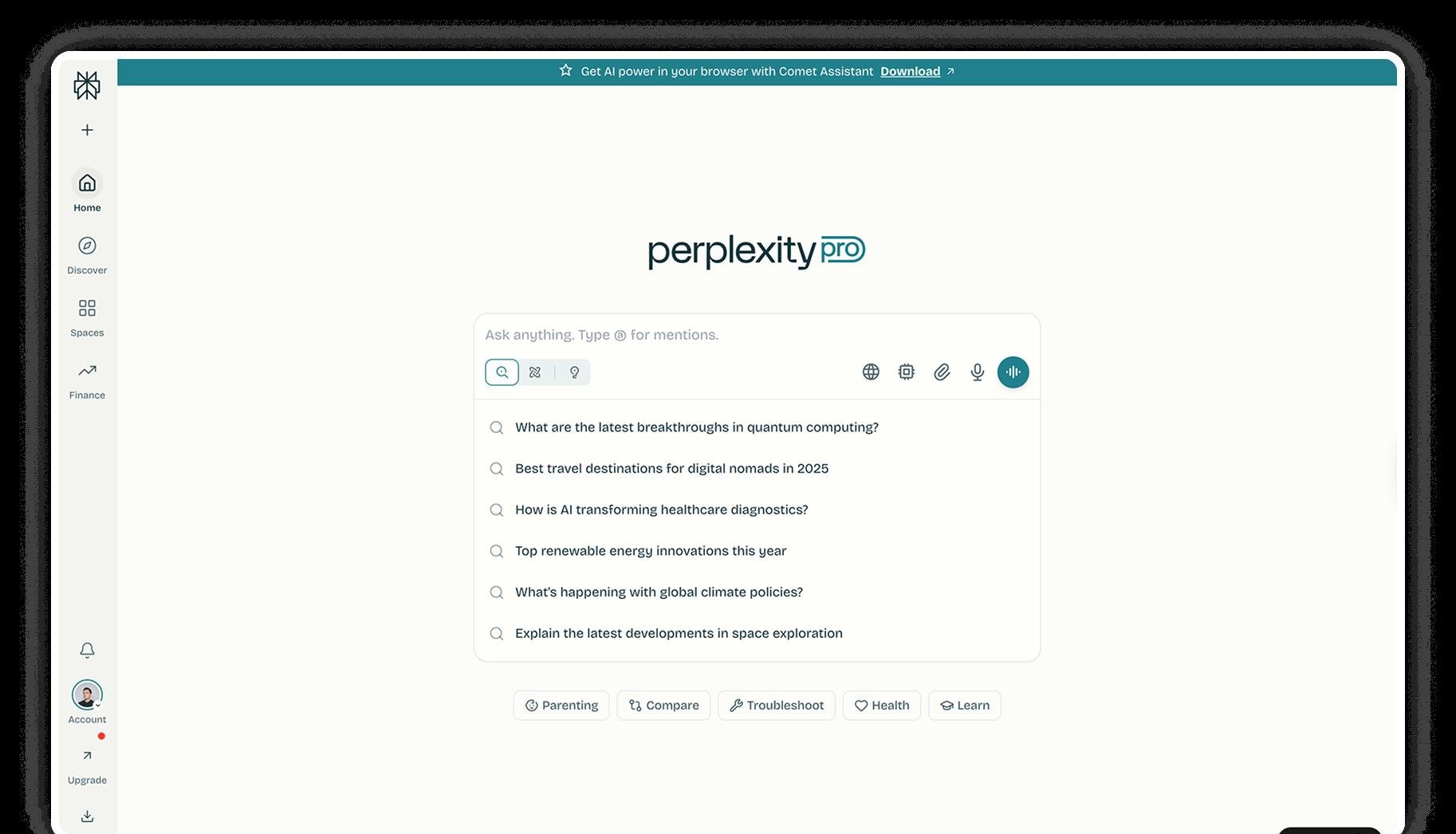
      <img src="https://mintcdn.com/figr-1af7ae64/z16Z7ZdXfoZy_c4N/images/01-04-thinks-output.png?fit=max&auto=format&n=z16Z7ZdXfoZy_c4N&q=85&s=84890009191e6d4c022b4cb2b36ceb9d" alt="A production-ready screen using the team's components and design tokens" lightAlt="A production-ready screen using the team's components and design tokens" darkAlt="A production-ready screen using the team's components and design tokens" className="dark:hidden" width="1826" height="1046" data-path="images/01-04-thinks-output.png" />

      <img src="https://placehold.co/1600x900/EEEEEE/31343C?text=01-04-thinks-output.png" alt="A production-ready screen using the team's components and design tokens" lightAlt="A production-ready screen using the team's components and design tokens" darkAlt="A production-ready screen using the team's components and design tokens" className="hidden dark:block" />
    </Frame>
  </Step>

  <Step title="Learns and improves">
    Remembers what works and applies it to future designs.

    <Frame caption="Figr building on patterns that worked before.">
      <img src="https://mintcdn.com/figr-1af7ae64/9R6ZCMMA1ZL6O6WC/images/image.png?fit=max&auto=format&n=9R6ZCMMA1ZL6O6WC&q=85&s=dd266e44f5b48ffe22757ea2bb5ecd1c" alt="Image" width="2880" height="2048" data-path="images/image.png" />
    </Frame>
  </Step>
</Steps>

## What a screen share teaches Figr

Show Figr your product once and it learns your information architecture, interaction patterns, error states, and flows. No PRD required. It picks up how your navigation actually works, where users get stuck, the patterns you have already set, and the edge cases hiding in your flows.

### What product managers want

| What you need             | Figr                                                 | Other AI tools                          |
| ------------------------- | ---------------------------------------------------- | --------------------------------------- |
| Catch edge cases early    | Flags gaps before the design cycle                   | Build only what you explicitly ask for  |
| Think through UX first    | UX review and pattern matching across 200,000+ flows | Generic suggestions, no product context |
| Expert feedback on demand | Built-in UX audit and accessibility checks           | Not available                           |
| Remember your product     | Persistent memory, so you never explain twice        | Start fresh every conversation          |

### What designers get

| What Figr does                                      | Your benefit                  |
| --------------------------------------------------- | ----------------------------- |
| UX review, edge cases, and information architecture | Fewer "we missed this" cycles |
| A high-fidelity starting point inside Figma         | Refine from 95%, not 0%       |
| Design-system compliance                            | Nothing to fix afterward      |

<Card title="See the difference" href="/getting-started/tutorial/first-design-5-minutes">
  Try product-aware designing in your first session.
</Card>