> ## Documentation Index
> Fetch the complete documentation index at: https://docs.figr.design/llms.txt
> Use this file to discover all available pages before exploring further.

# Product Aware Designing
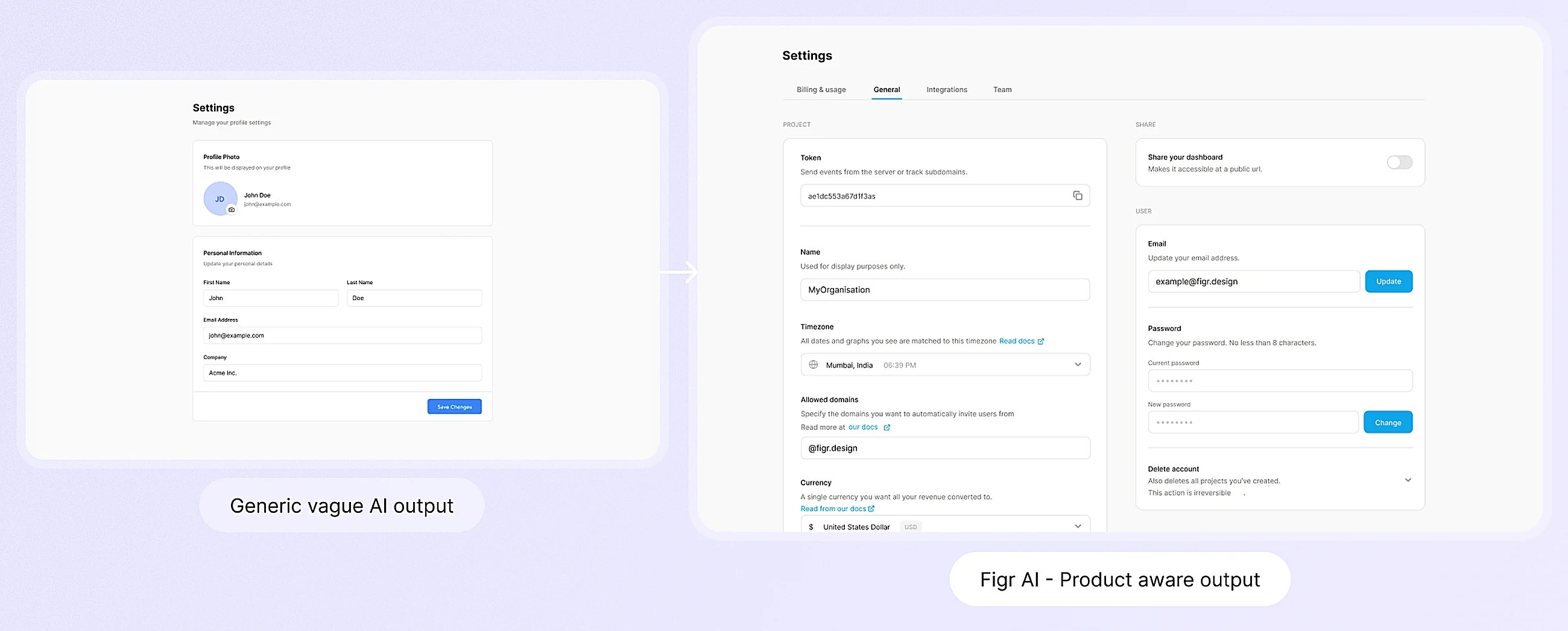
<Frame caption="What product-aware design looks like: output that fits your existing product.">
  <img alt="Figr generating designs that match an existing product" lightAlt="Figr generating designs that match an existing product" darkAlt="Figr generating designs that match an existing product" src="https://mintcdn.com/figr-1af7ae64/-GMAzIjL9qDaTeup/images/Product-Aware-Designing.webp?fit=max&auto=format&n=-GMAzIjL9qDaTeup&q=85&s=fd5129e33b9ebd37658f39a1766f4b7f" className="dark:hidden" width="2600" height="1047" data-path="images/Product-Aware-Designing.webp" />

  <img alt="Figr generating designs that match an existing product" lightAlt="Figr generating designs that match an existing product" darkAlt="Figr generating designs that match an existing product" src="https://placehold.co/1600x900/EEEEEE/31343C?text=01-03-product-aware-hero.png" className="hidden dark:block" />
</Frame>

Product-aware means Figr designs around your specific product, not a generic idea of what an app should look like. Three parts make that possible, and they work together:

<CardGroup cols={3}>
  <Card title="Context Pod" href="/product-intelligence/context-pods">
    Your product knowledge graph: recordings, docs, links, specs, and design system.
  </Card>

  <Card title="Design Language" href="/product-intelligence/design-system">
    Components, patterns, typography, spacing, and your product's visual rules.
  </Card>

  <Card title="Infinite Canvas" href="/canvas/canvas-overview">
    Screens, flows, reviews, prototypes, and iterations in one workspace.
  </Card>
</CardGroup>

## Why the combination matters

A Context Pod tells Figr what your product is and what you are building. Your Design Language tells it how the product looks and behaves. The Canvas is where you brainstorm, review and refine. The result is design grounded in your product, not a generic guess.

<Frame caption="Figr learns your product before it generates any UI.">
  <img alt="Figr learns your product before generating UI" lightAlt="Figr learns your product before generating UI" darkAlt="Figr learns your product before generating UI" src="https://mintcdn.com/figr-1af7ae64/B-CZDullpzC9Nrue/images/01-03-learns-product-(1).png?fit=max&auto=format&n=B-CZDullpzC9Nrue&q=85&s=66adbf38d3003e563d7c30e35dfb32e7" className="dark:hidden" width="2048" height="1451" data-path="images/01-03-learns-product-(1).png" />

  <img alt="Figr learns your product before generating UI" lightAlt="Figr learns your product before generating UI" darkAlt="Figr learns your product before generating UI" src="https://placehold.co/1600x900/EEEEEE/31343C?text=01-03-learns-product.png" className="hidden dark:block" />
</Frame>

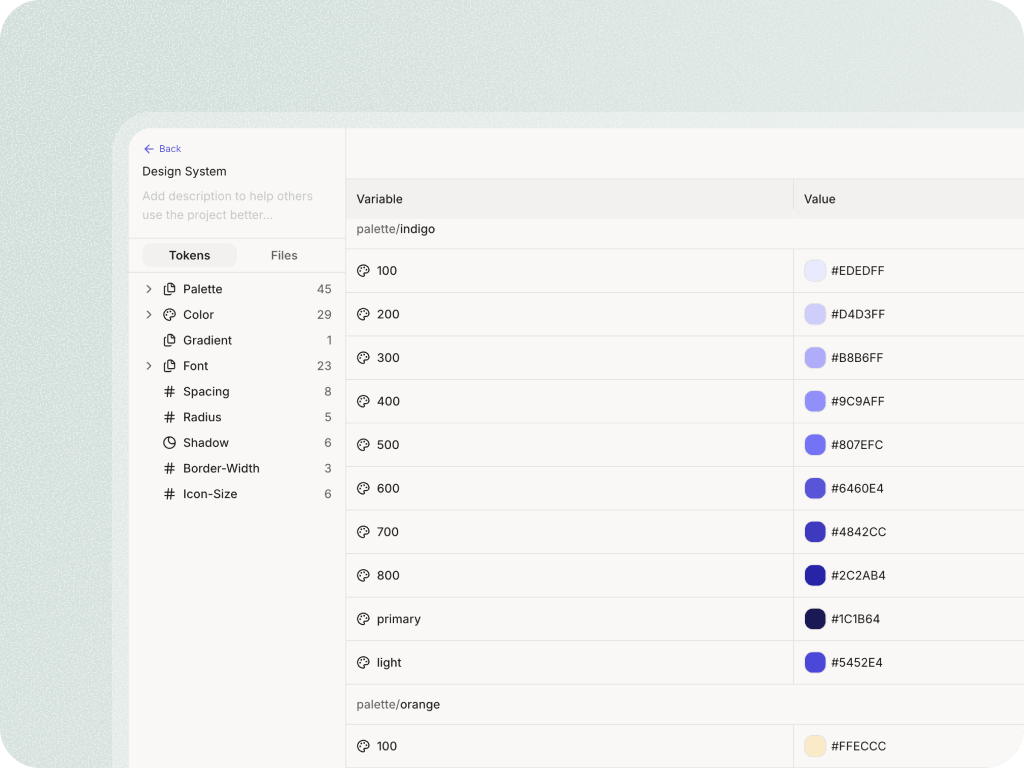
<Frame caption="Output stays inside your existing design system.">
  <img alt="Output respects your design system" lightAlt="Output respects your design system" darkAlt="Output respects your design system" src="https://mintcdn.com/figr-1af7ae64/9R6ZCMMA1ZL6O6WC/images/01-03-design-system-fit.png?fit=max&auto=format&n=9R6ZCMMA1ZL6O6WC&q=85&s=58fdc8eeadfb38964d2871257da0d032" className="dark:hidden" width="1024" height="768" data-path="images/01-03-design-system-fit.png" />

  <img alt="Output respects your design system" lightAlt="Output respects your design system" darkAlt="Output respects your design system" src="https://placehold.co/1600x900/EEEEEE/31343C?text=01-03-design-system-fit.png" className="hidden dark:block" />
</Frame>

## Next

<CardGroup cols={2}>
  <Card title="Set up a Context Pod" href="/product-intelligence/context-pods">
    The most important setup step, reused across every project.
  </Card>

  <Card title="See the workflow" href="/getting-started/tutorial/understanding-workflow">
    How context becomes flows, artifacts, and a finished design.
  </Card>
</CardGroup>