> ## Documentation Index
> Fetch the complete documentation index at: https://docs.figr.design/llms.txt
> Use this file to discover all available pages before exploring further.
# Files and Research
> Use context that lives outside the product screen: PRDs, CSVs, research, and the web.
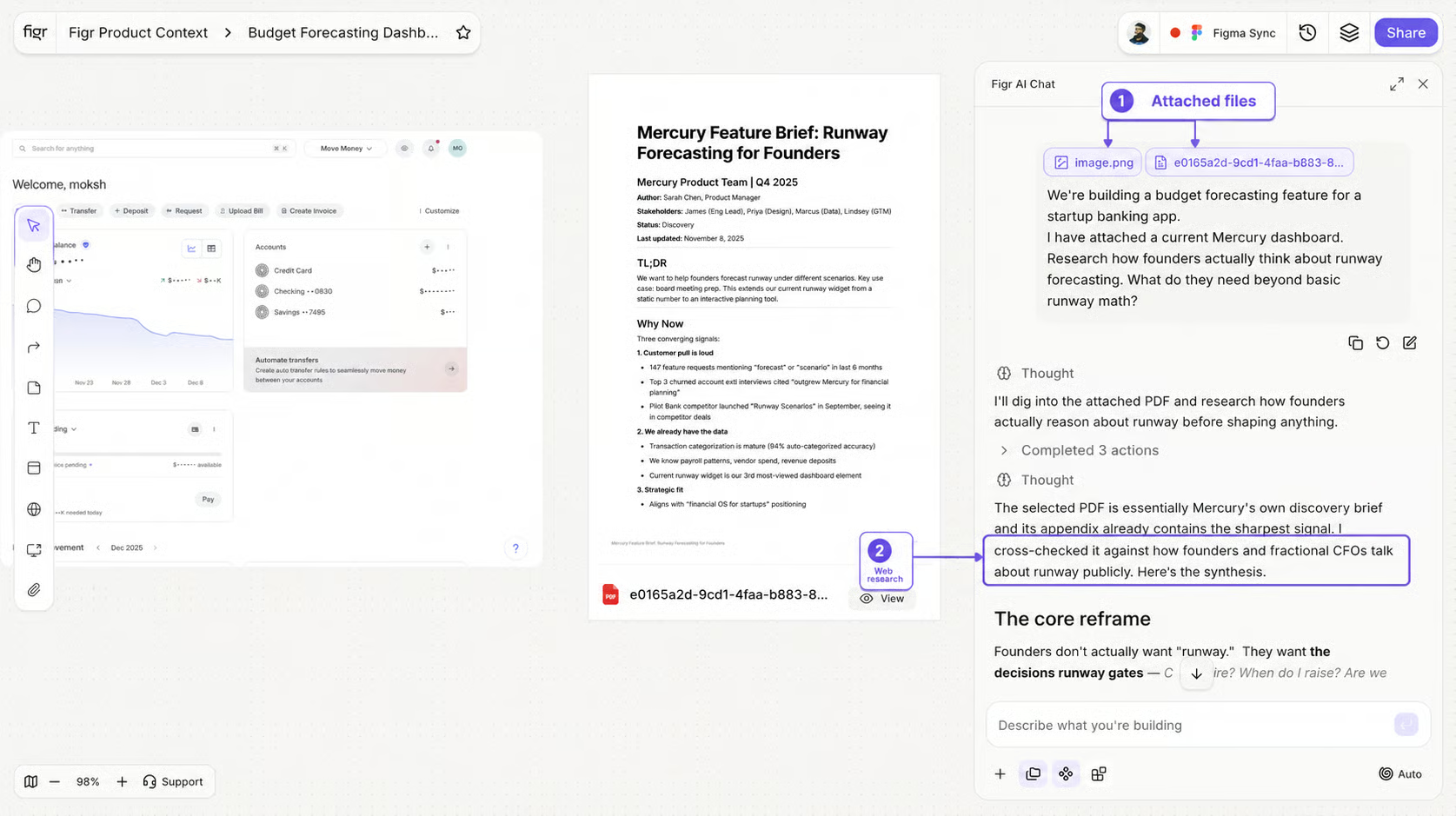
Use files and research when your context lives outside the product screen. You can upload files such as screenshots, PDFs, PRDs, product specs, research docs, CSVs, analytics exports, customer feedback, and design references. Good file examples:
* Upload a PRD and ask Figr to find missing requirements
* Upload an analytics CSV and ask Figr to identify UX opportunities
* Upload screenshots and ask Figr to audit the current flow
* Upload research notes and ask Figr to suggest product directions
## Research before designing
You can also ask Figr to use research and web context when you want to study patterns before designing. Use research to compare product patterns, study competitors, understand common UX approaches, ground a design in proven patterns, and explore options before generating screens. Good research prompts:
```text theme={null}
Research how top B2B SaaS tools handle team permissions, then suggest a better IA for our permissions page.
```
```text theme={null}
Compare onboarding flows from similar products and suggest what we should learn before redesigning ours.
```
```text theme={null}
Find common patterns for analytics dashboards and turn them into a design direction for our product.
```