

What Brainstorm Does
Brainstorm helps you think through problems before jumping to solutions. It generates ideas, explores approaches, identifies considerations, and surfaces what you might miss. Brainstorm provides:- PRDs and documentation
- Multiple concept directions
- Feature ideas and variations
- Edge case identification
- Pros/cons analysis
- Strategic recommendations
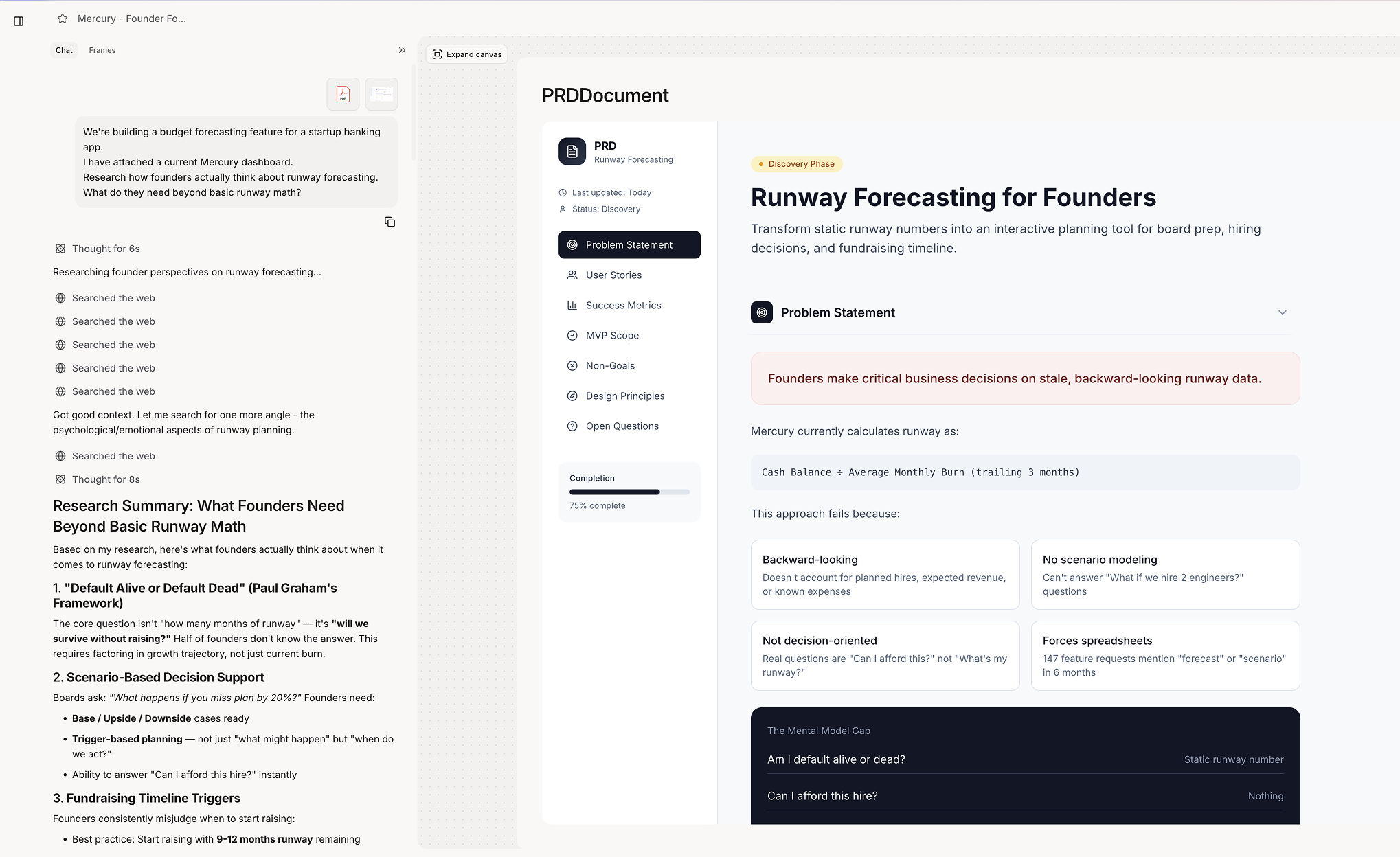
When Figr Uses Brainstorm
Figr engages brainstorming when you:- Explore open-ended problems
- Ask for ideas or options
- Want to think through a feature
- Need to identify considerations
- Request multiple approaches
Trigger phrases
Trigger phrases
What Brainstorm Produces
Concept Exploration
Concept Exploration
Multiple directions: “Three different approaches to user onboarding:
- Progressive disclosure wizard
- Interactive tutorial overlay
- Contextual tips on first use”
Edge Case Identification
Edge Case Identification
What you might miss: “Consider these scenarios:
- User with no data yet
- User hitting plan limits
- Multiple users editing simultaneously
- Session timeout during long forms”
Trade-off Analysis
Trade-off Analysis
- Pros and cons: “Modal confirmation: ✓ Clear user intent ✓ Prevents accidents ✗ Interrupts flow ✗ Extra click required”
From Brainstorm to Design
Brainstorm naturally flows into design.Getting Best Results
Start with Problems, Not Solutions
Start with Problems, Not Solutions
- Less effective: “Design a modal for confirmation”
- More effective: “Users accidentally delete things. How should we handle confirmation?”
Ask Follow-Up Questions
Ask Follow-Up Questions
- Go deeper: “What about edge case #3 - tell me more” “How would approach 2 work on mobile?” “What are the risks of the progressive approach?”