

What Prototype Does
Prototype is Figr’s core design generation capability. Describe what you need, and Figr creates high-fidelity interfaces based on your product context, design language, and memory. Prototype generates:- Complete screen designs
- Component layouts
- Multi-screen flows
- Responsive variations
- Interactive states
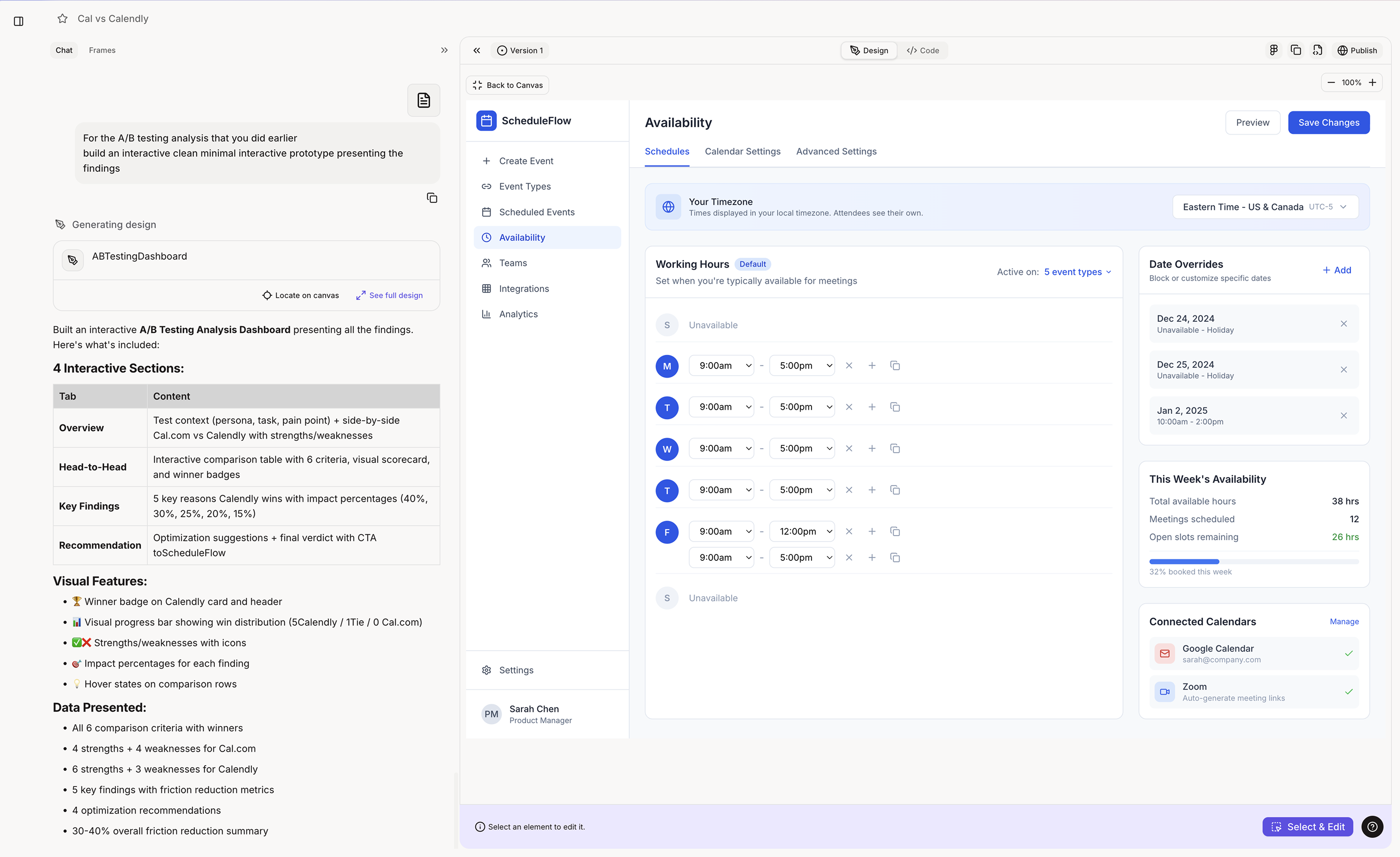
When Figr Uses Prototype
Figr automatically engages prototype generation when you:- Ask for a new screen or page design
- Request a feature interface
- Need UI for a specific flow
- Want to visualize a concept
- Ask for design variations
Trigger phrases
Trigger phrases
What You Get
High-Fidelity Output
High-Fidelity Output
Not wireframes. Not sketches. Production-ready designs. Output includes:
- Correct colors from your design language
- Proper typography and spacing
- Real component patterns
- Realistic placeholder content
- Complete visual hierarchy
Product-Matched Designs
Product-Matched Designs
Prototypes look like they belong in your product. Figr applies:
- Your design system tokens
- Your component patterns
- Your layout conventions
- Your visual style
- Context from memory
Export-Ready
Export-Ready
Take designs directly to Figma or code. Export options:
- One-click Figma export
- Code export for development
- Image downloads
- Share links for stakeholders
Getting Best Results
Be Specific About Requirements
Be Specific About Requirements
- Less effective: “Design a dashboard”
- More effective: “Design a dashboard showing: daily active users chart, recent activity feed, and quick action buttons for creating new projects”
Reference Your Product
Reference Your Product
- Leverage your context: “Using our existing card style, design…” “Match the navigation from our dashboard…” “Follow the form pattern we use in settings…”
Specify States and Variations
Specify States and Variations
- **Request complete coverage: **“Design the empty state, loading state, and populated state” “Show mobile and desktop versions” “Include error handling for failed submissions”