

What Map User Flow Does
Map User Flow creates visual representations of user journeys, process flows, and system interactions. It documents paths, identifies decision points, and surfaces missing states. Map User Flow produces:- User journey diagrams
- Process flowcharts
- Decision trees
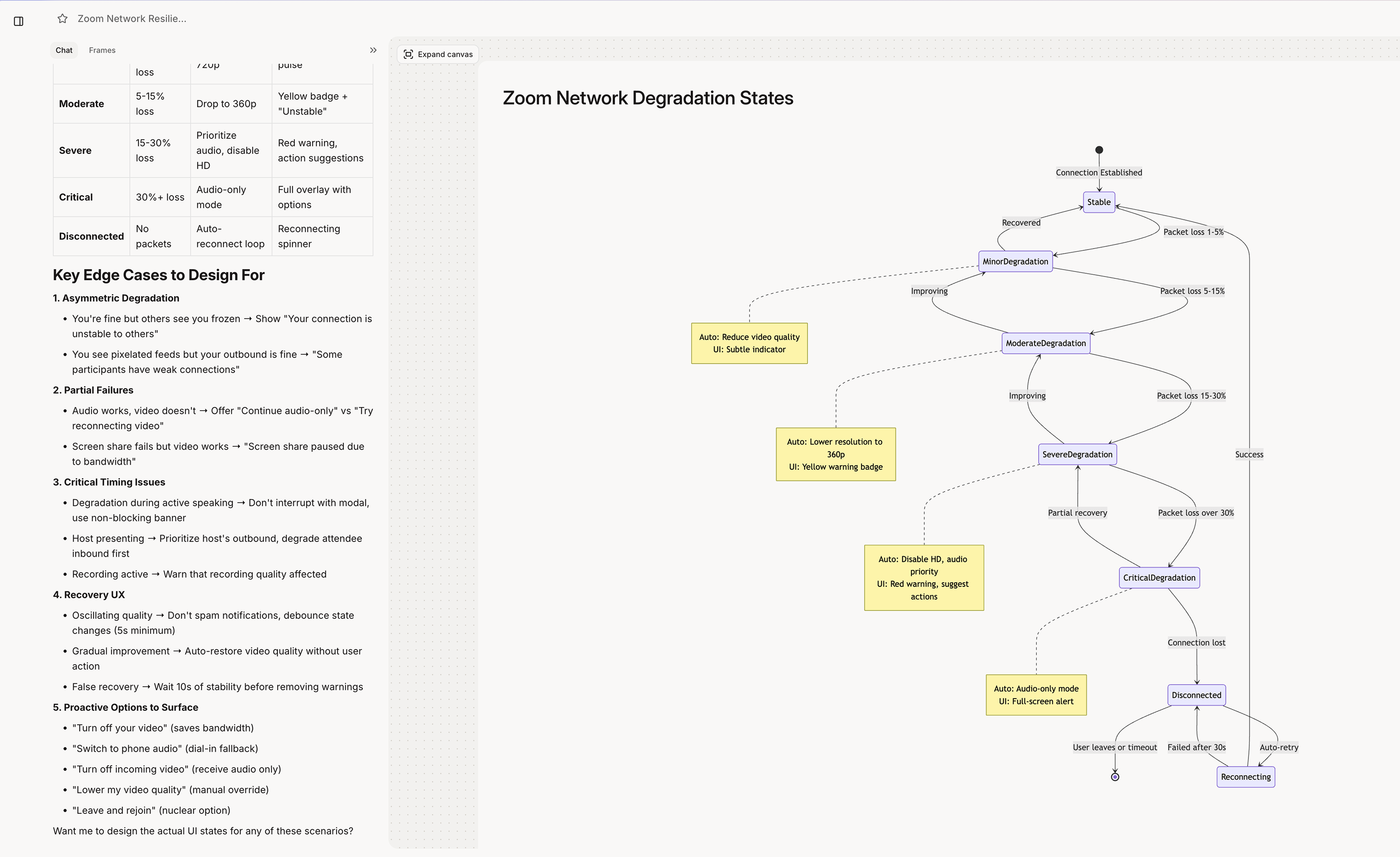
- State diagrams
- Information architecture maps
When Figr Uses Map User Flow
Figr engages flow mapping when you:- Ask to visualize a journey
- Need to document a process
- Want to see all paths in a flow
- Request a diagram or map
- Ask about user journeys
Trigger Phrases
Trigger Phrases
Types of Flow Maps
User Journey Maps
User Journey Maps
End-to-end user experience. Journey map includes:
- Touchpoints and interactions
- User emotions and pain points
- Opportunities for improvement
- Cross-channel transitions
Process Flowcharts
Process Flowcharts
Step-by-step process documentation. Flowchart includes:
- Sequential steps
- Decision points
- Branching paths
- Start and end states
- Error handling paths
State Diagrams
State Diagrams
All possible states and transitions. State diagram includes:
- Every possible state
- Transitions between states
- Trigger conditions
- Edge case states
Information Architecture
Information Architecture
Content and navigation structure. IA map includes:
- Page hierarchy
- Navigation relationships
- Content groupings
- Cross-linking patterns
Getting Best Results
Define Start and End Points
Define Start and End Points
- **Clear boundaries: **“Map the flow from clicking ‘Create Project’ to seeing the new project dashboard”
Ask for Edge Cases
Ask for Edge Cases
- Complete coverage: “Include error states and edge cases” “What happens if the user goes back?” “Show the timeout scenario”
Specify Detail Level
Specify Detail Level
- Right granularity: “High-level overview of the signup journey” vs. “Detailed flowchart of form validation logic”