

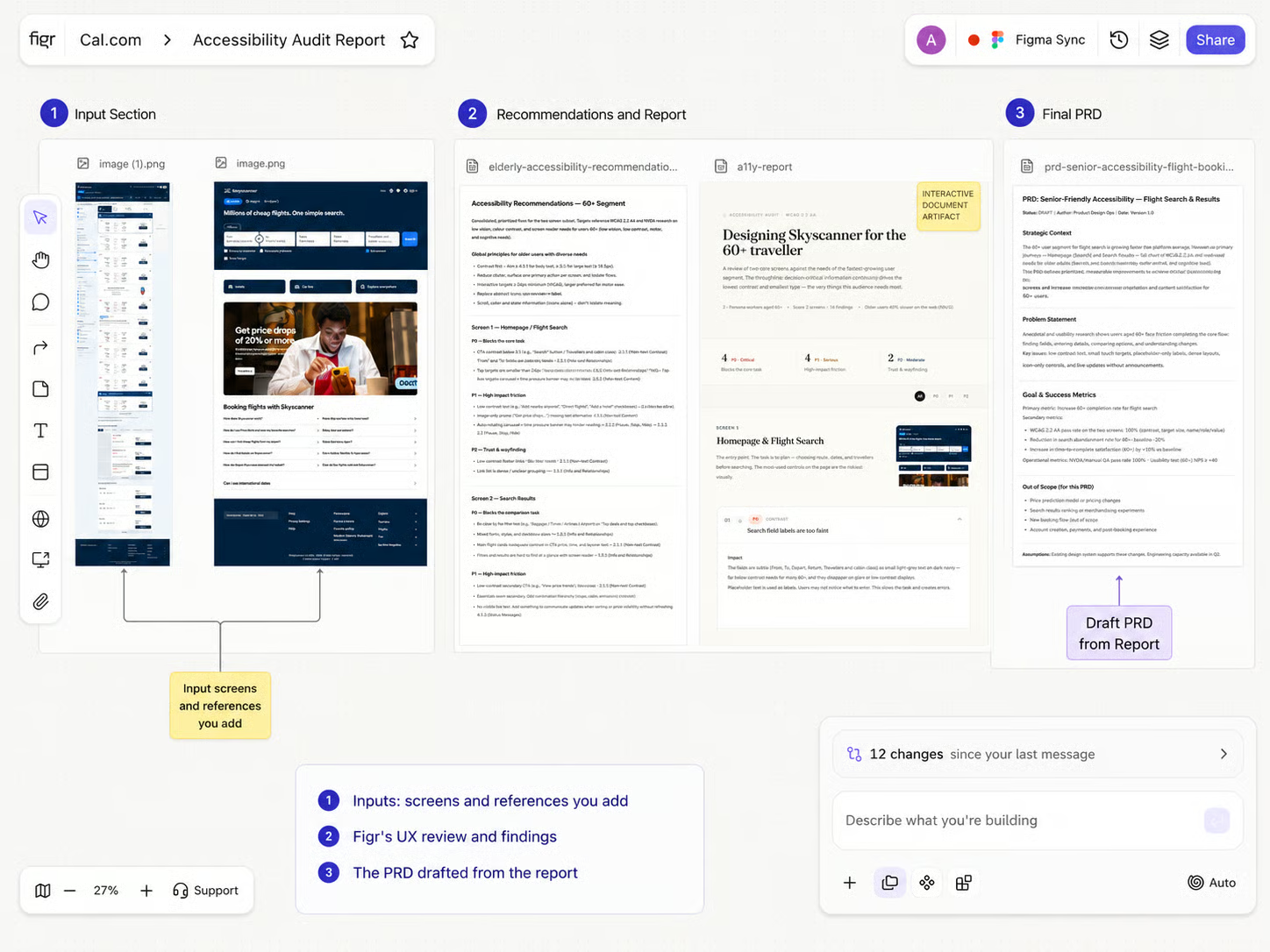

A Canvas organized with sections, sticky notes, comments, and a few connector lines
Sticky notes
Quick context beside the work: “Need PM input,” “Check empty state,” “Final direction,” “Needs edge cases,” “Engineering constraint,” or “Use this reference pattern.”Comments
Feedback tied to a specific item on the Canvas:- Ask a PM to confirm a requirement
- Leave design feedback on a screen
- Ask engineering to check feasibility
- Mark something for founder review
- Add handoff clarification before export
Sections
Group related work into named stages: Research inputs, UX review, User flow, Design explorations, Final direction, Ready for review, Ready for export.Connector lines
Show relationships between items, such as a PRD connected to its prototype, or a user flow connected to the screens it produced.Organize a crowded canvas
1
Add a sticky note
Drop a sticky note beside an item to capture quick context or a decision.
2
Add a comment
Attach a comment to a specific item when feedback belongs to that artifact.
3
Group into a section
Select related items and group them into a named section so the stage is clear at a glance.
4
Link your artifacts
Link artifacts to each others with connectors and give Figr relational context
Related
Canvas Overview
The visual workspace, end to end.
Item Actions
What you can do with a selected item.
History and Layers
Find and restore earlier versions.