

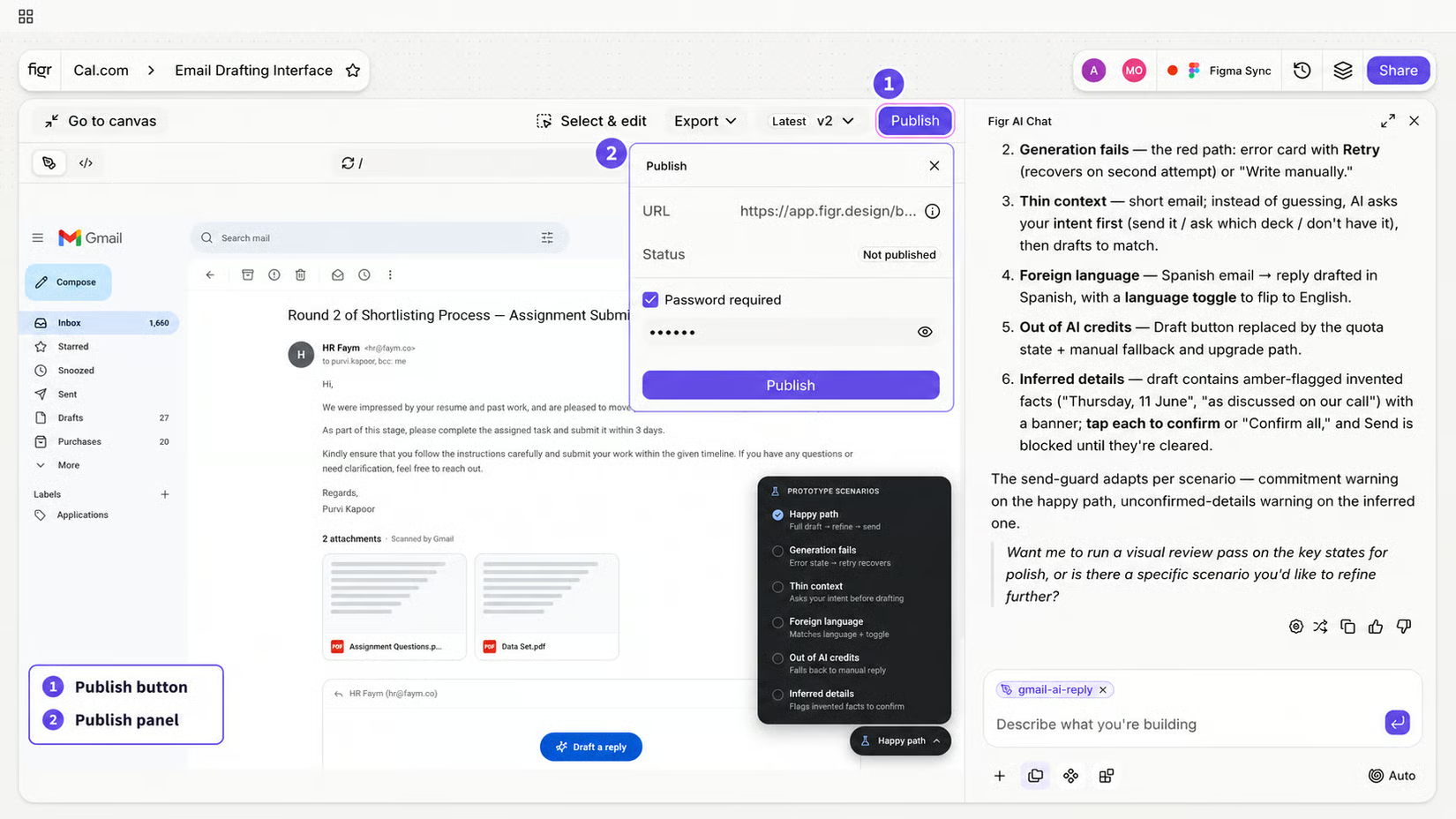

Publish panel with URL, status, and password option
Publish an artifact
Turn one item into a public page so someone can review a single prototype, design direction, or artifact without seeing the full Canvas. For example: share a prototype with a stakeholder, send a direction to a client, or post a public review link. Published artifacts open through a public URL. Depending on your settings, you may also be able to add password protection.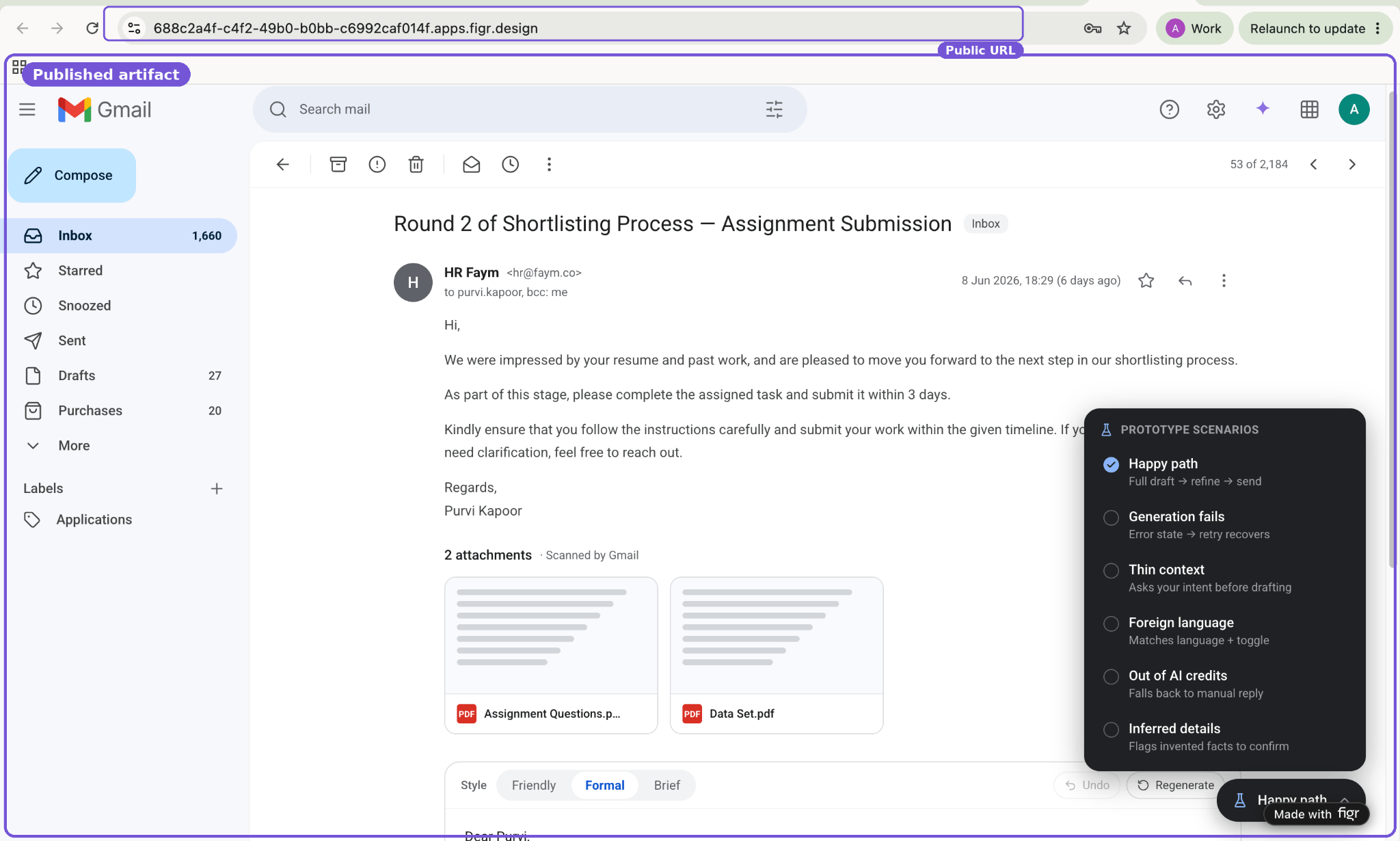

A published artifact page
Share a project
Give someone access to the full project, not just one public artifact. Use it when a teammate needs to view, edit, or collaborate on the whole Canvas: a designer refining outputs, a PM reviewing flows and PRDs, or an engineer inspecting implementation context.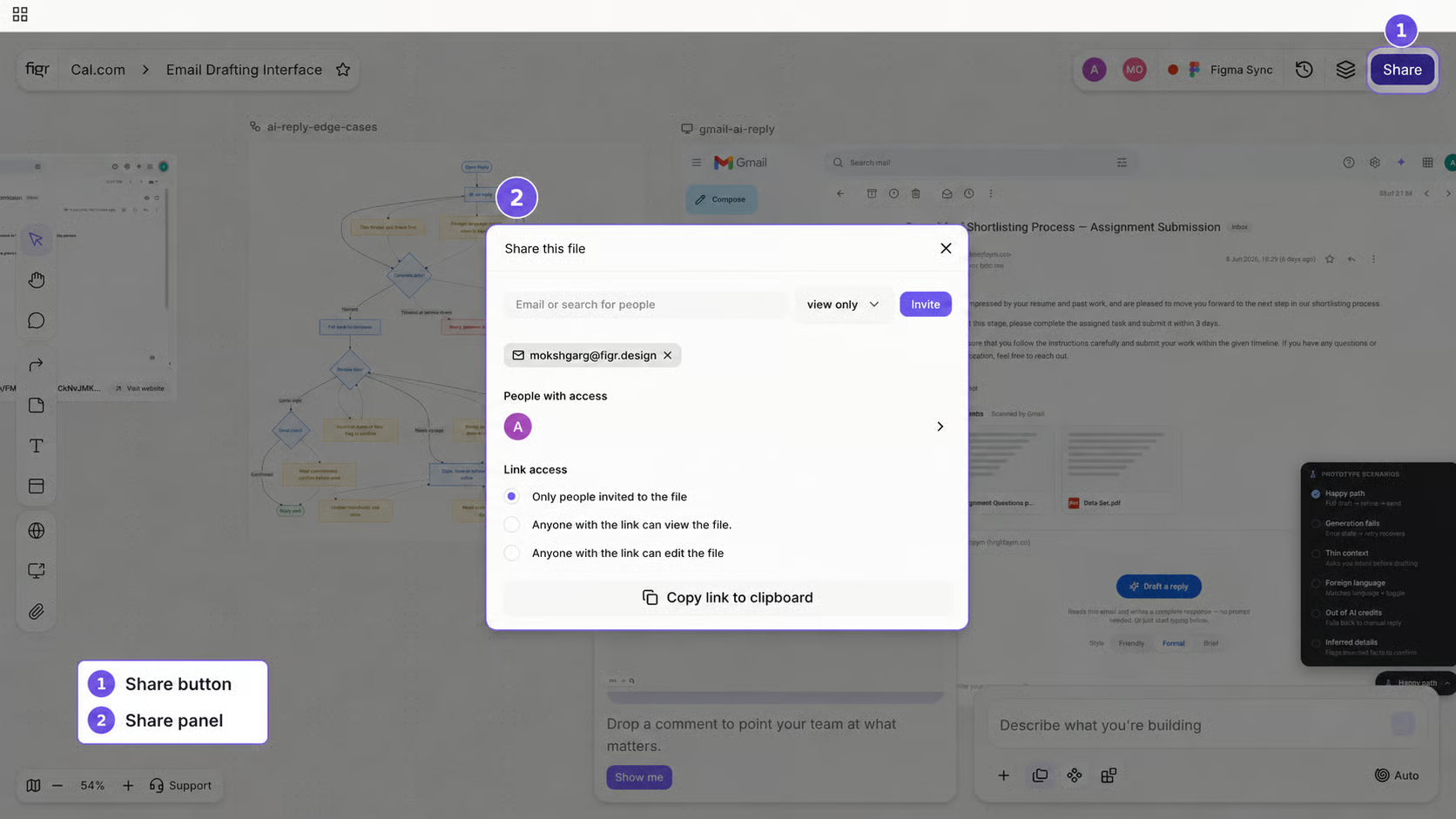

Project Share modal with access settings and roles
Related
Export Options
Choose the right handoff path.
Export Options
Choose the right handoff path.