

1
Bring in the current screen
Upload a screenshot, capture the page with Figr Capture, add frames from Figma, or use a product walkthrough.
2
Attach your design system and pod
Select your design system and Context Pod in the chat so the redesign stays on-brand and fits your product.
3
Describe what to improve and what to keep
Be specific about the problem and the guardrails. For example: “Make this settings page easier to scan. Keep our navigation and existing components.”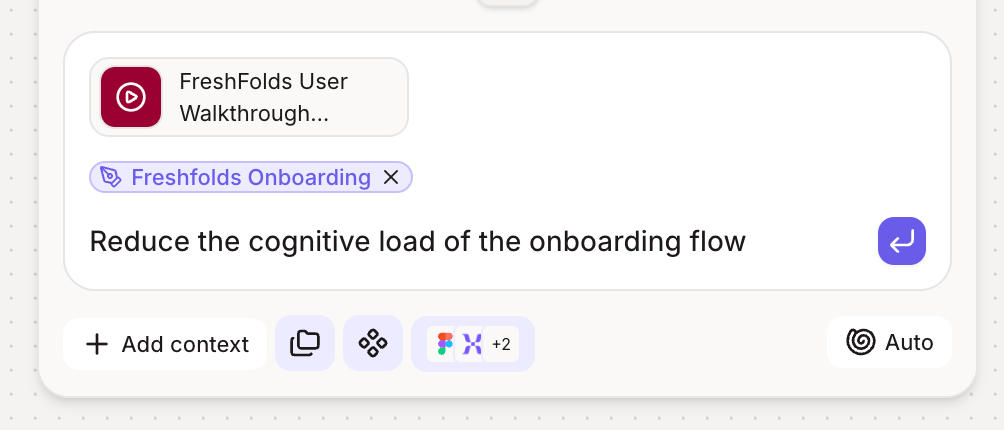
4
Compare before and after
Figr places the redesign next to your original on the canvas so you can review the changes side by side.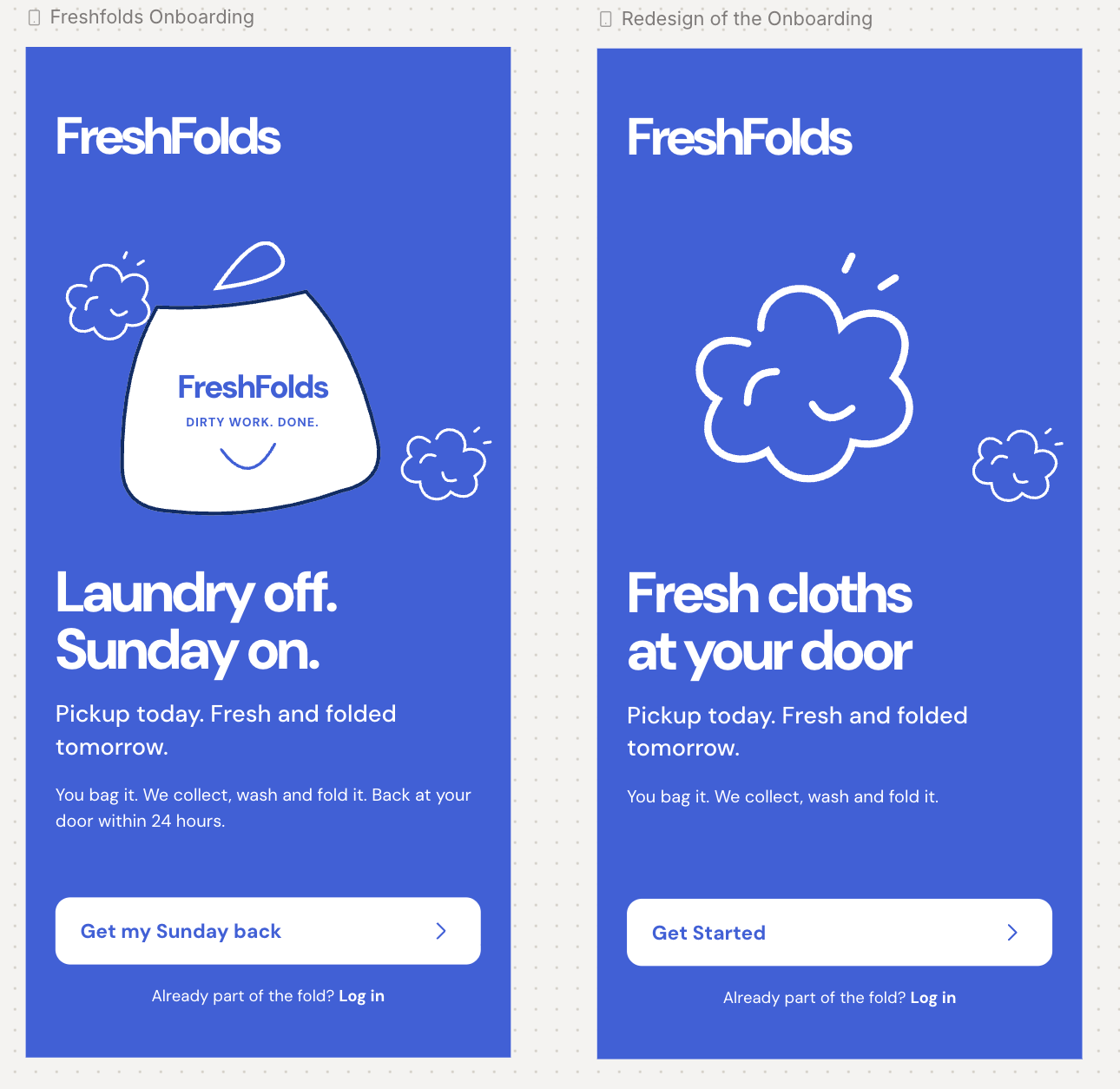
5
Refine the details
Use the manual edit panel to change a specific section, or ask for another variation in chat.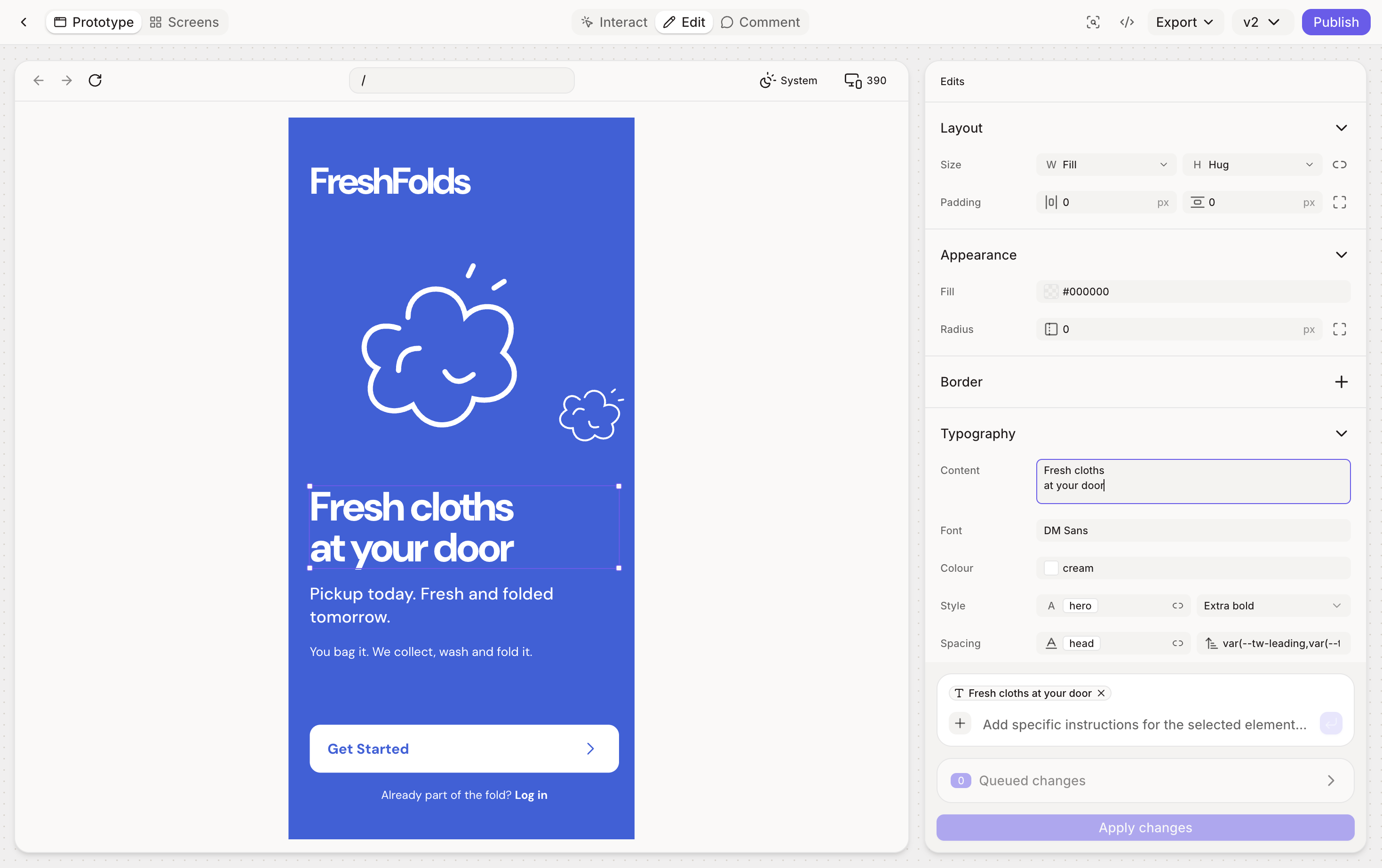
Not sure what to fix? Ask Figr for a UX review of the current screen first. It pins issues to the screen and ranks them, so you know where to start.