1
Describe the screen
Tell Figr what the screen is for and what it needs to show. For example: “Wireframe a a few layout options we could show order tracking for the clothes.”
2
Attach your Context Pod
Select your pod in the chat so the wireframe reflects your product’s real content and structure.
3
Review the wireframe on the canvas
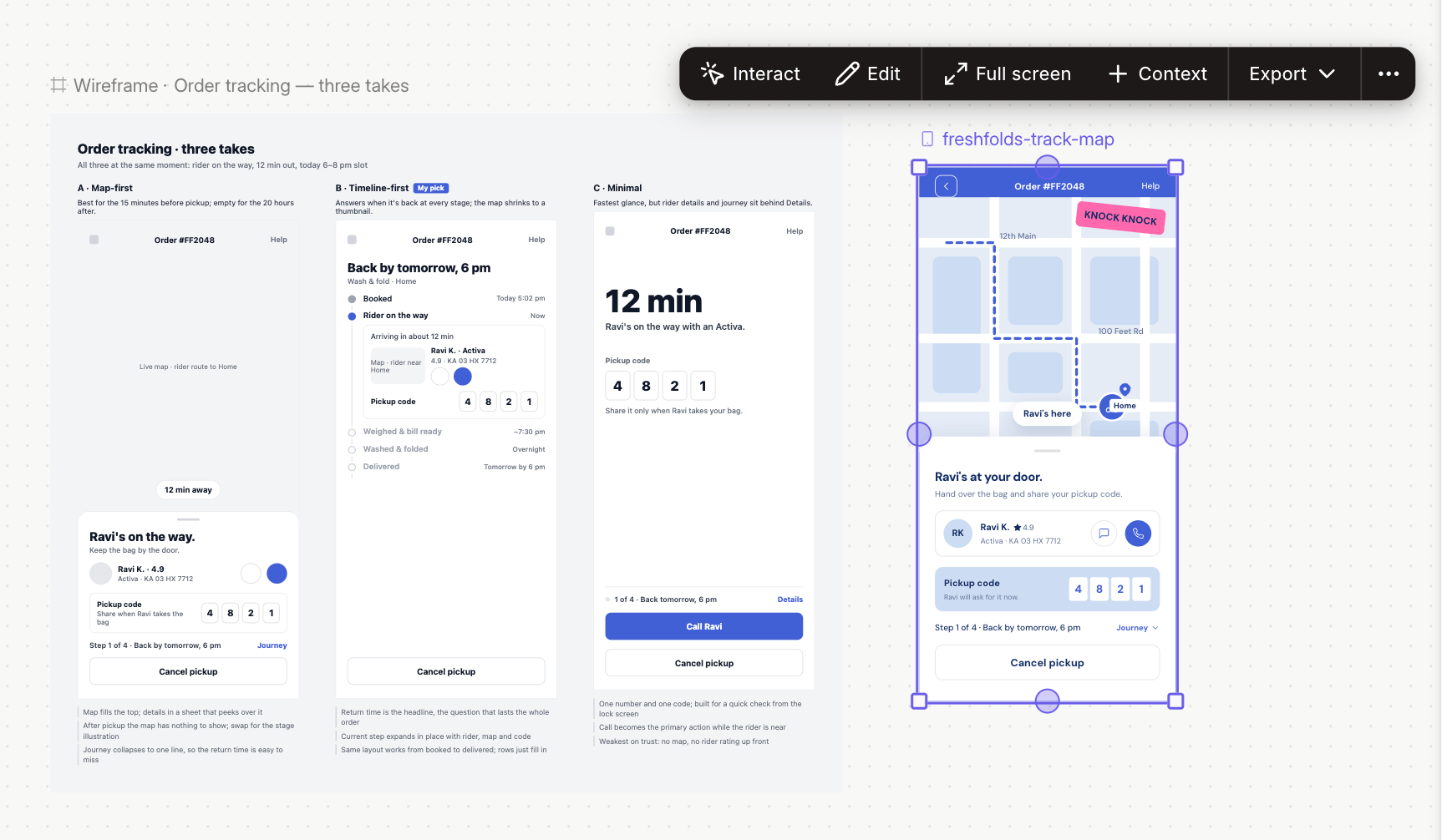
Figr creates a low-fidelity layout you can scan in seconds.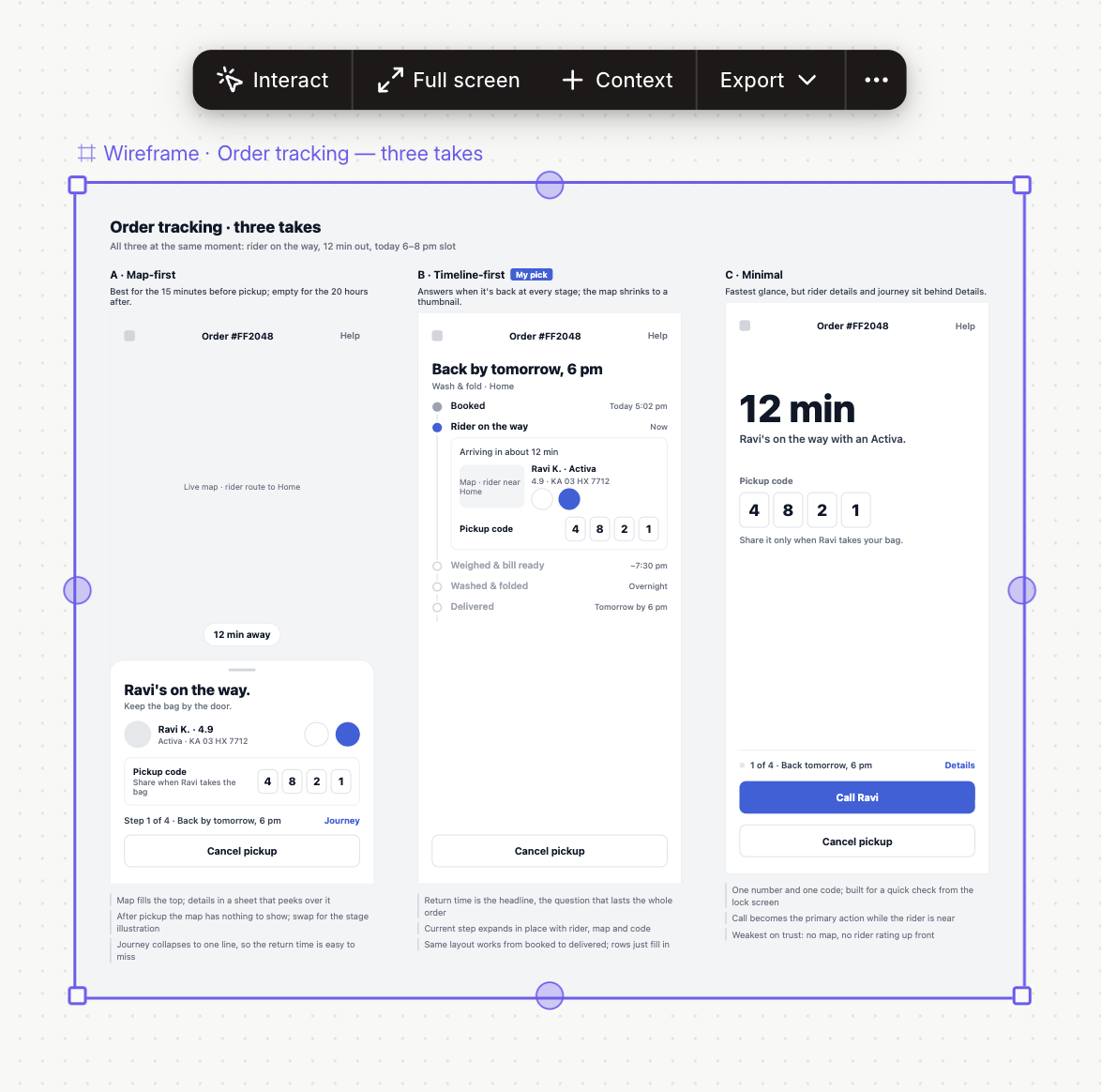
4
Ask for alternatives
Request a different layout to compare side by side. For example: “Show two more layout options with the task list as the main focus.”
5
Turn the one you like into a design
Attach your design system and ask Figr to turn the wireframe into high-fidelity prototyped screens and add missing screens and states.