Set up your product context once, so everyone on your team starts from the same place. When your team shares one Context Pod, every teammate gets the same understanding of your product from their first message. Nobody has to record the same flow or upload the same PRD again.
1

Share the pod

Open the pod in Product intelligence and click Share in the top right.
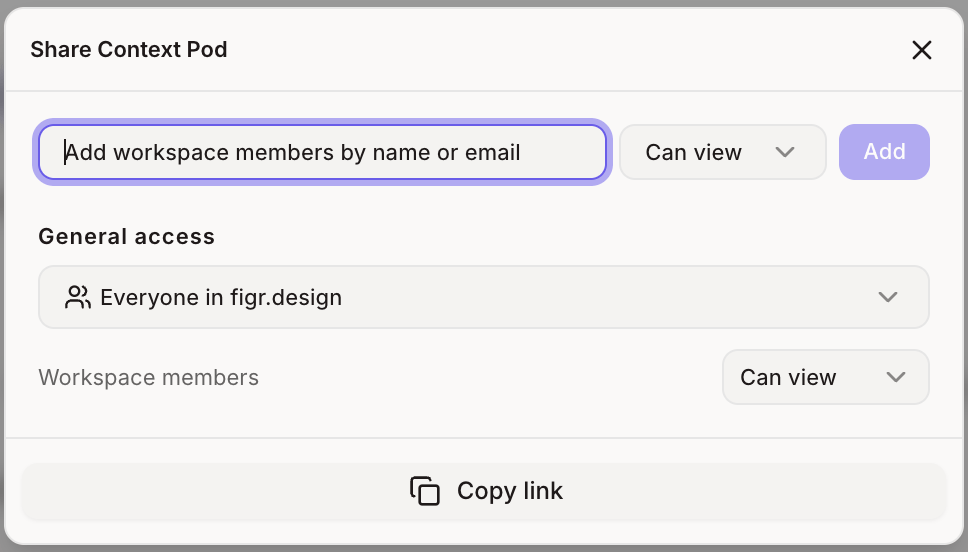
Share Context Pod dialog with access options
2

Attach it in any project

Teammates click Add context in the chat box, choose Context Pod and pick the shared pod.
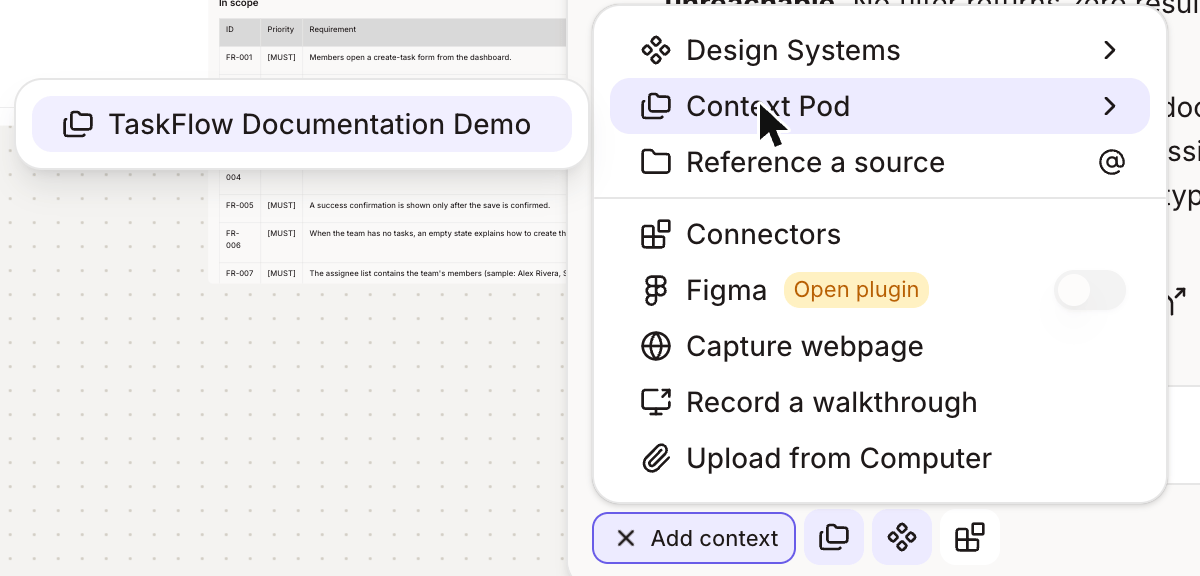
Shared pod in the chat box Context Pod picker
Name pods so teammates can tell them apart at a glance, for example “Web app – Checkout” and “Mobile app – Onboarding”.
3

Keep it current

When your product changes, replace old recordings and links in the pod’s Sources tab so everyone keeps working from what’s real.