

1
Start a new design system
Open Design System in the sidebar and create a new one, or open an existing one to add a source.
2
Choose your repo as a source
Under Sources, choose GitHub and select the repo, and the folder where your design system lives if it’s not at the root.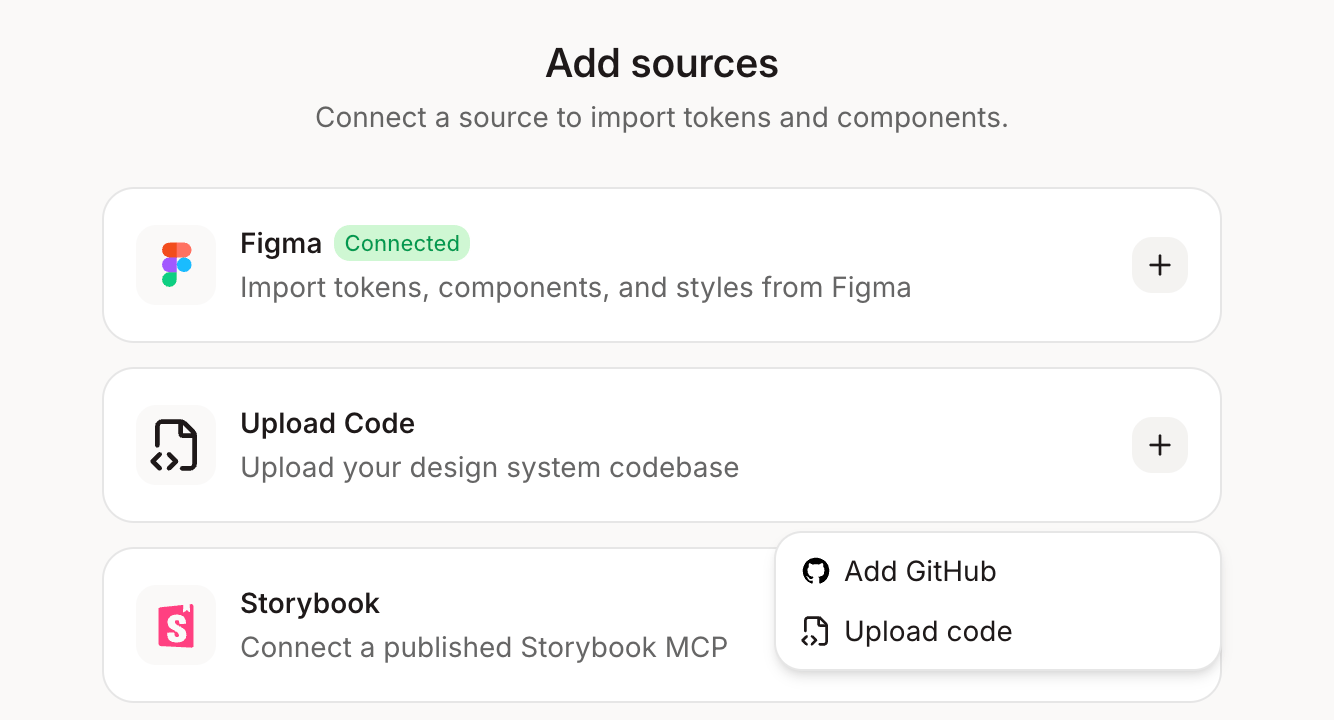
3
Point Figr to the right folder
Add the github repositories that are relevant to your projects. The one that holds your design tokens and shared components, not the whole app. A focused source gives cleaner results.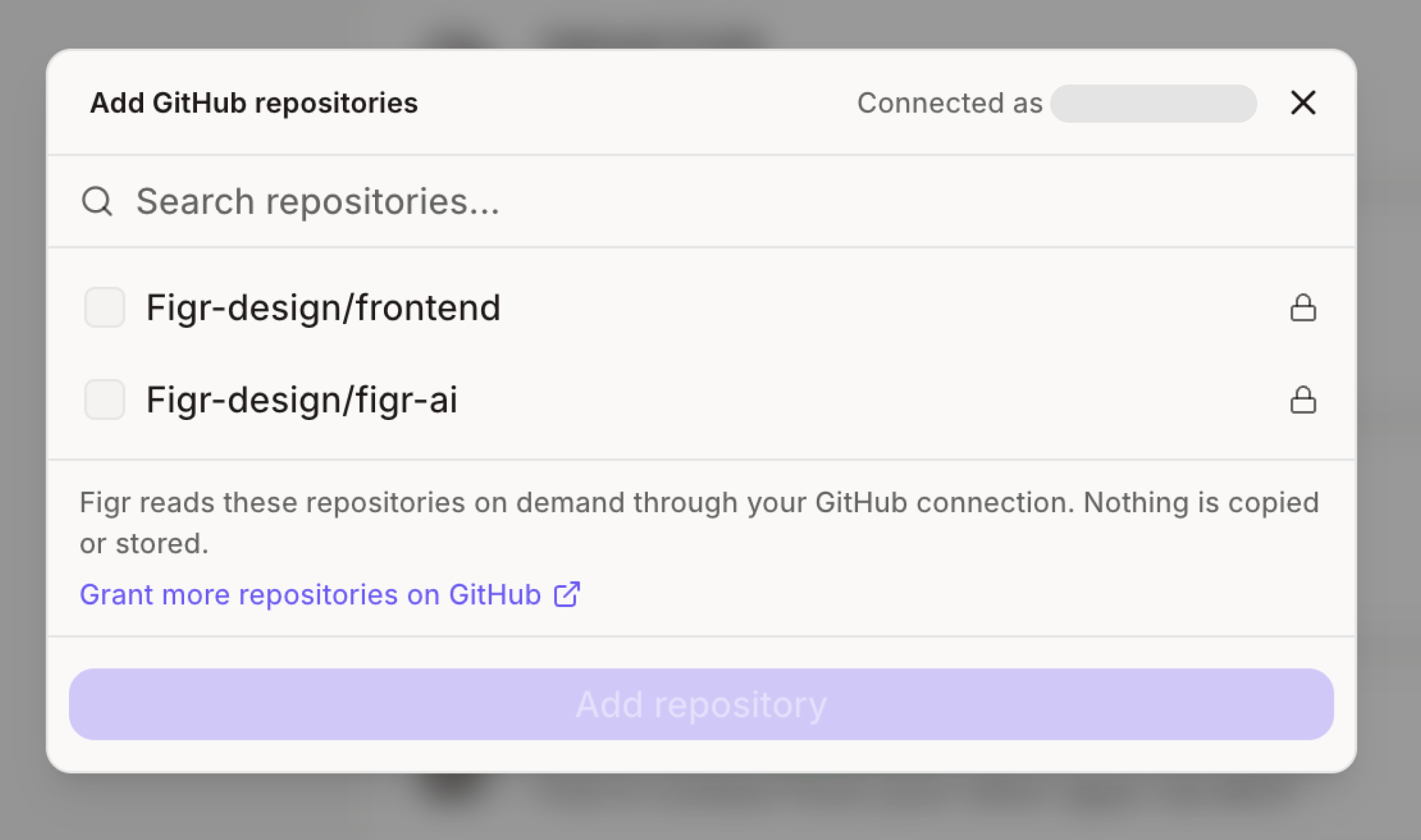
4
Set it up
Click Setup design system. Figr reads your tokens, components and styles and adds them to your design system.
Not on GitHub? You can also upload your theme or style files, like CSS or token files, directly as a source.