Make your product context available to everyone in your workspace, so new teammates start from it on day one. Org-wide context means the whole team works from the same understanding of your product. When someone new joins, Figr already knows your flows, your docs and your language, without them setting anything up.
1

Build a pod for the whole product

Create a Context Pod that covers what everyone needs: your main flows, a product overview and the terms your team uses.
2

Share it with everyone

Open the pod, click Share in the top right, and give access to everyone in your workspace.
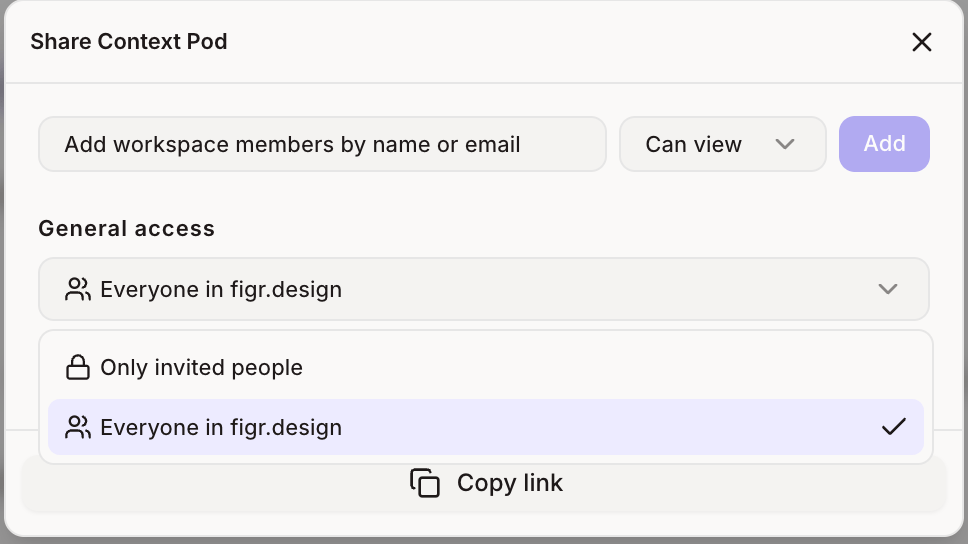
General access set to everyone in the workspace
3

Make it the default

In the Context Pod list, open the ⋯ menu on the pod’s card and choose Make default. New projects attach it automatically.
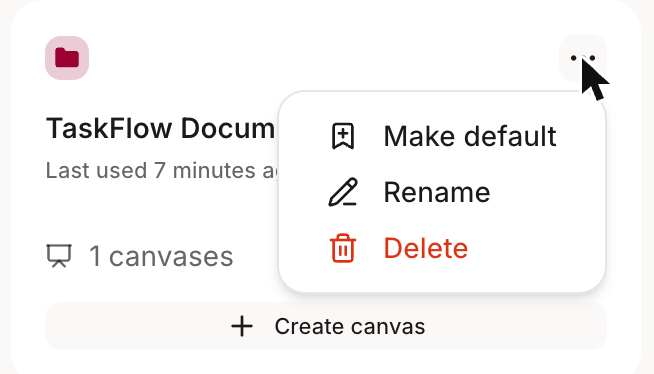
Make default option on a Context Pod card
4

Add focused pods on top

Keep separate pods for individual product areas, like Checkout or Admin. Teammates can switch to these when they need more detail.
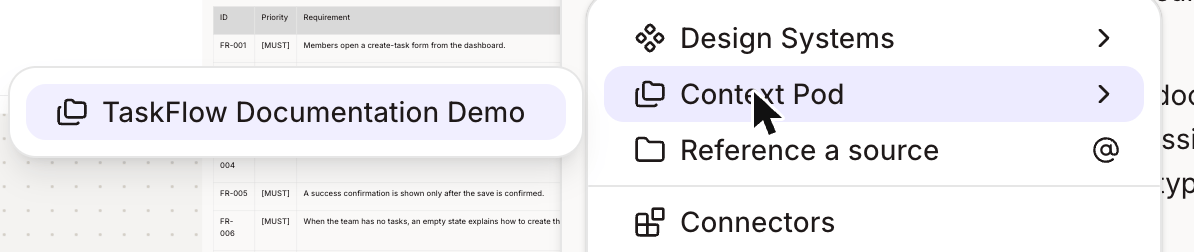
Context Pod picker listing the pods you can switch to
Pair your org-wide pod with a default design system, so new teammates get on-brand, product-aware results from their very first message.