

Open a review
Ask Figr to review a screen or flow in chat. When it finishes, it drops a visual feedback card into the conversation. Click View Review on that card to open the review..png?fit=max&auto=format&n=B-CZDullpzC9Nrue&q=85&s=459c95de21ebd3b6fbb3a069c2d43439)
Figr posts a visual feedback card in chat. Click View Review to open it.
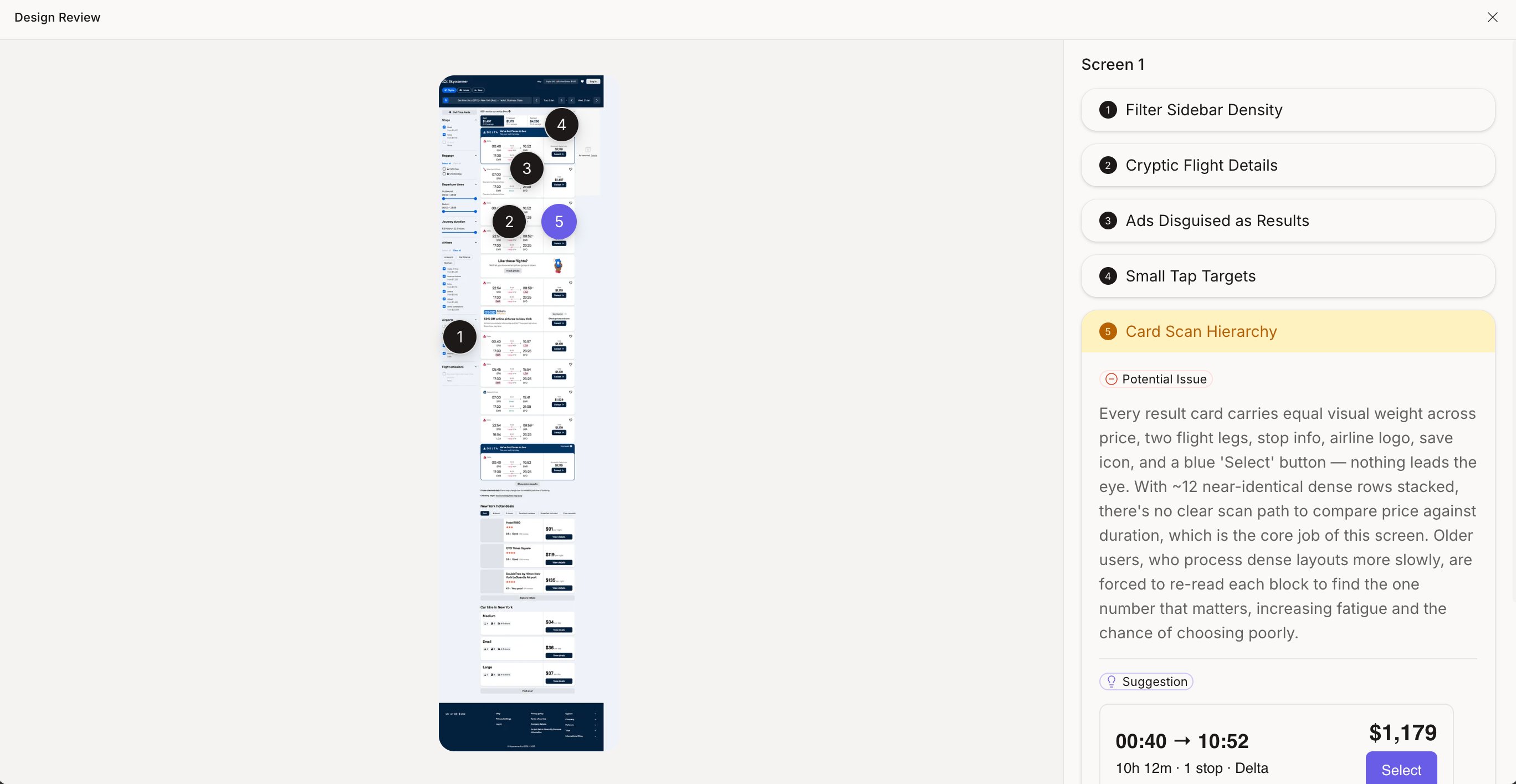
Each issue is pinned on the screen, with a potential issue and a suggested fix.
What Figr flags
- Friction points and places the flow might break
- Unclear hierarchy and confusing copy
- Missing states
- Accessibility risks
- Product logic gaps and patterns that miss user intent
Example prompts
- “Review this screen for UX friction and prioritize the top issues.”
- “Audit this onboarding flow and identify where users may drop off.”
- “Review this flow for missing states, unclear hierarchy, and accessibility risks.”
- “Compare this screen with the competitor reference and explain the trade-offs.”