


How it works
1
Pick the design
Select a prototype on the canvas and choose Export, then Open in coding agent. In the FreshFold example: the approved pickup confirmation screen.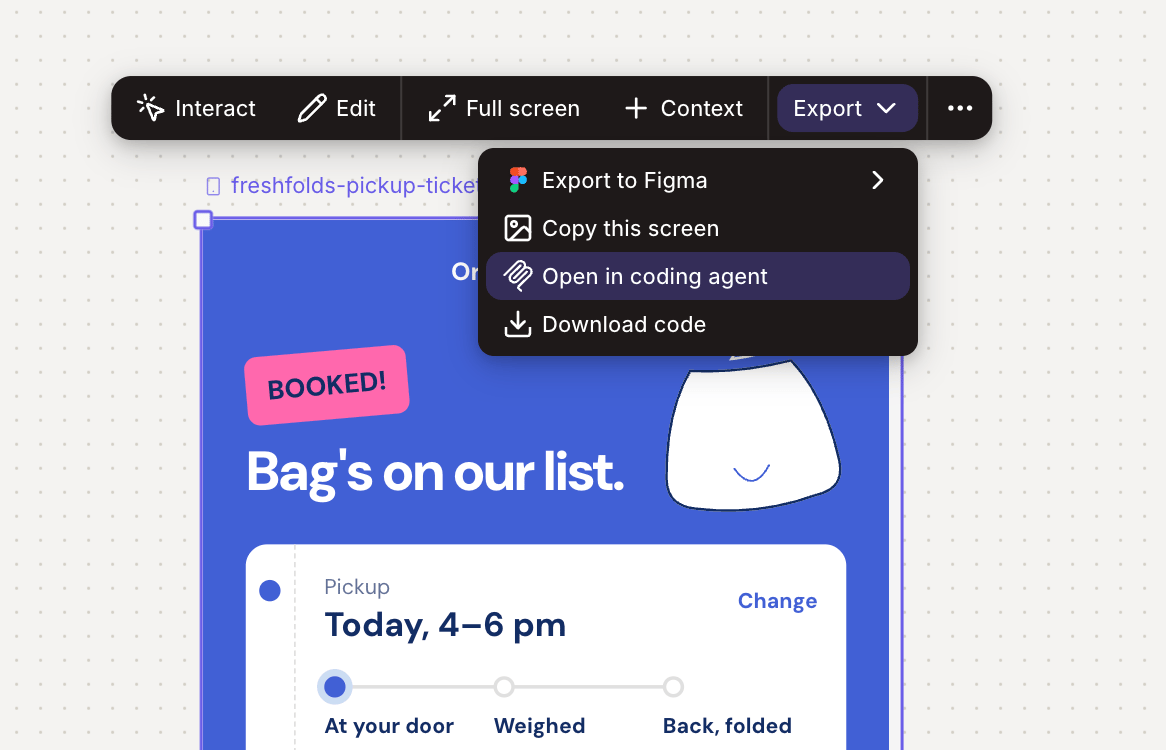
2
Connect the coding agent
Paste the link into the agent’s MCP setup, or register the Figr MCP server once for the whole workspace.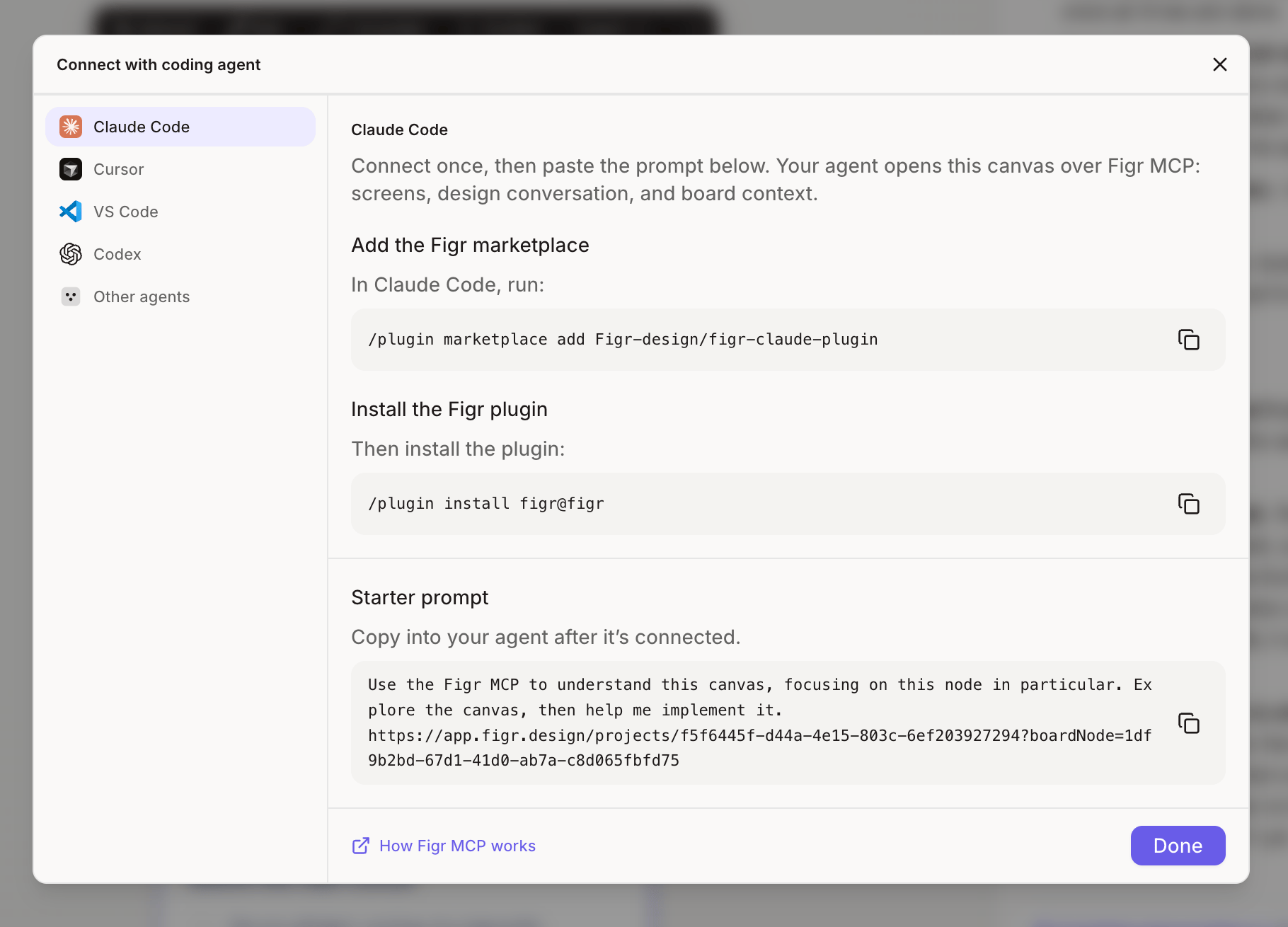
3
The agent reads the real design
The agent sees the layout, values and structure, plus the decisions from your conversations with Figr.
4
The agent builds in your code
The agent builds the screen in your codebase with your components, starting from the design instead of a guess.
What changes for your team
- Engineers build from the design, not a screenshot.
- Designers stop answering “what’s the spacing here?”
- Rework after handoff drops, because nothing gets lost in translation.
Go further
Want the agent to build with your own components every time? Connect your design system so every handoff uses it.Design system
Connect your components so every handoff uses them.
Related
Figr MCP
Setup for every supported coding agent.
What Figr does
Back to all ten jobs Figr takes on, from research to handoff.