

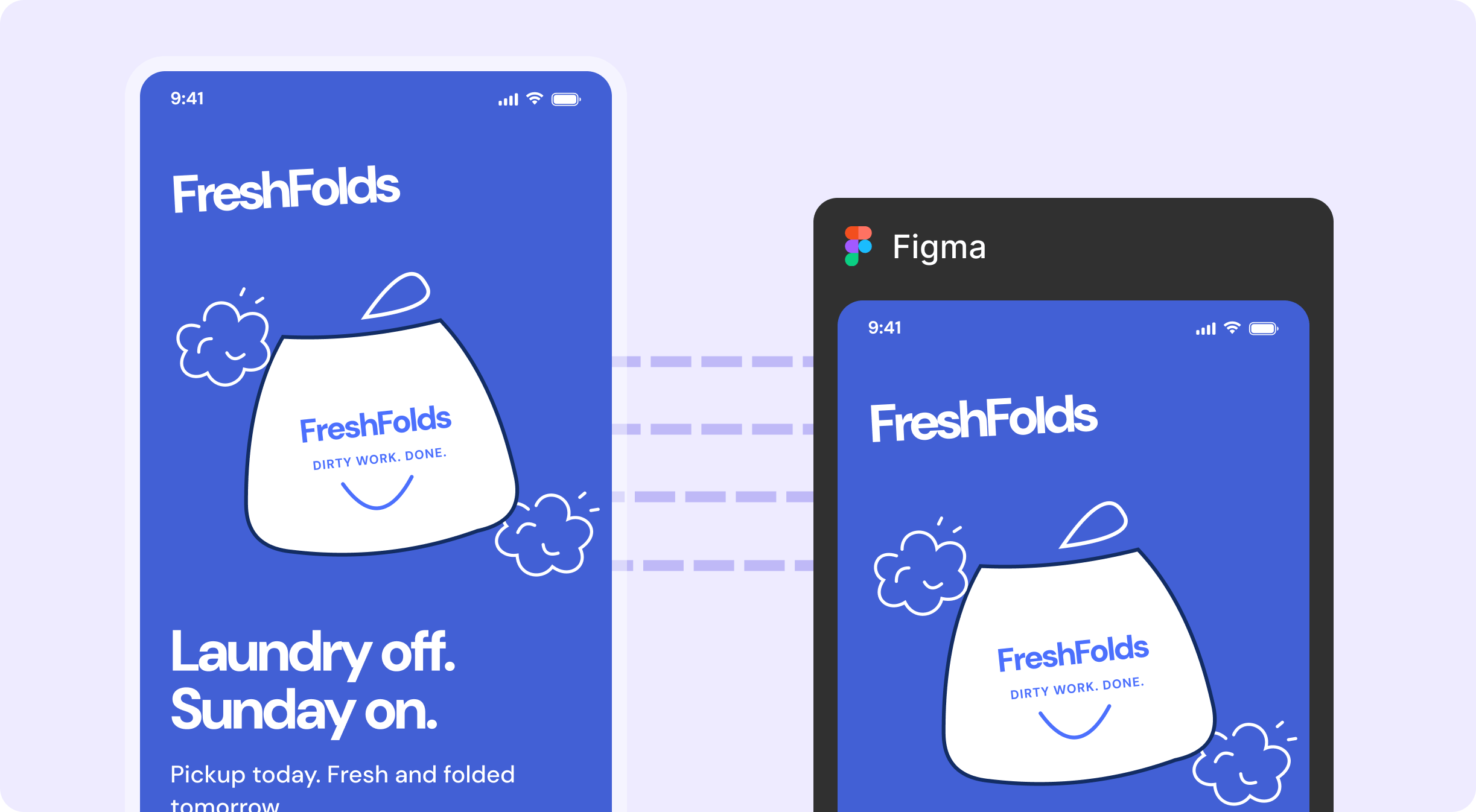
How it works
1
Bring the first draft
Upload a screenshot, a sketch or an AI-generated screen. In the FreshFold example: a PM’s rough design of a new pickup confirmation screen.
2
Figr rebuilds it in your system
Figr turns the draft into a prototype that uses your tokens and components, not the draft’s one-off styles.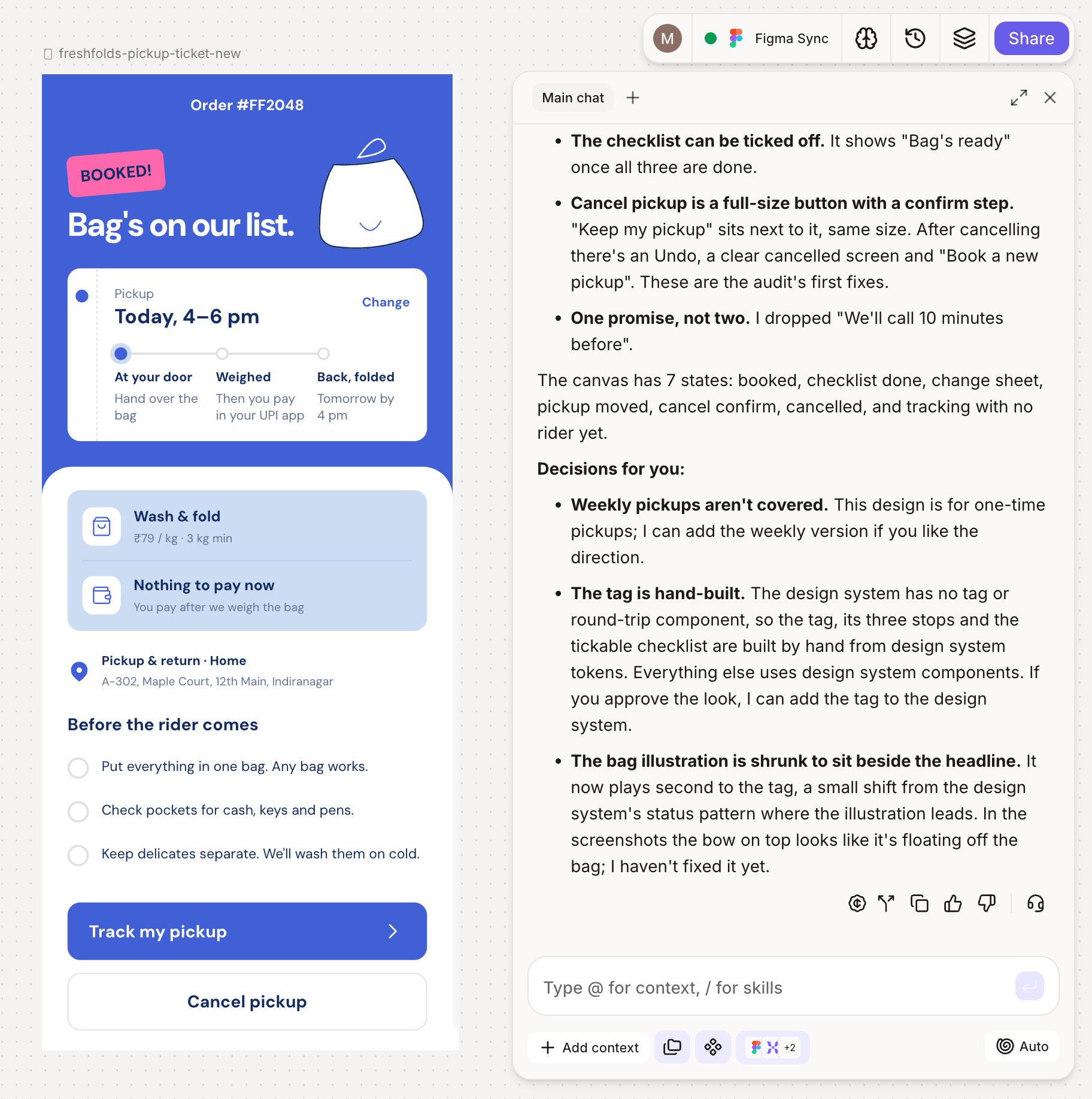
3
Export to Figma
Select the prototype and choose Export to Figma. It runs through the Figr Figma plugin.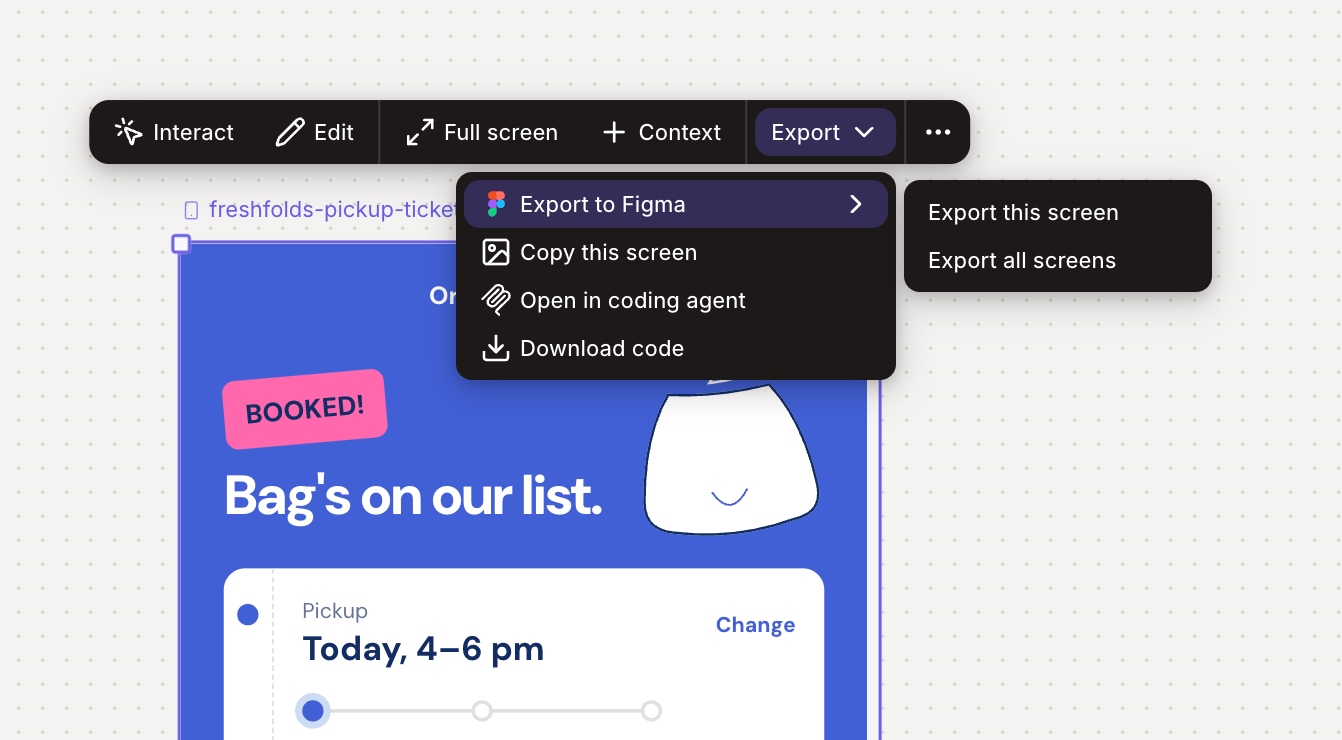
4
Pick up in Figma
The design lands in your Figma file as editable layers with Auto Layout and your variables intact, ready for a designer to refine and hand off.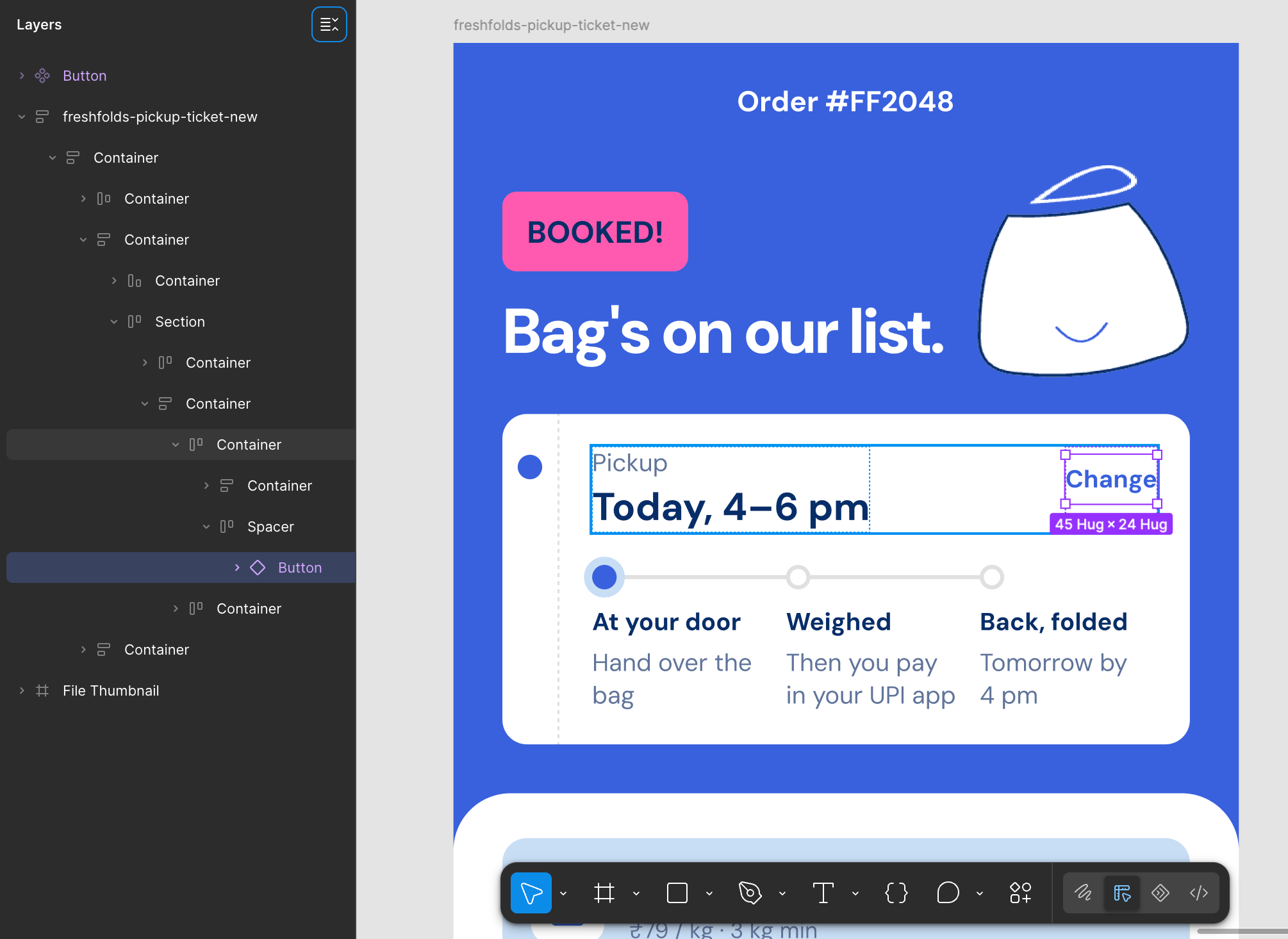
What changes for your team
- PMs share ideas designers can use, not ideas they have to redraw.
- Designers get back the days spent rebuilding.
- Handoffs keep your Auto Layout and variables, so the design stays on system.
Go further
Want exports that use your real components? Connect your design system once and every export uses it.Design system
Connect your components so every export uses them.
Related
Export to Figma
Step-by-step export and what comes across.
Hand off to engineering
Next step: take the design straight to engineering.