

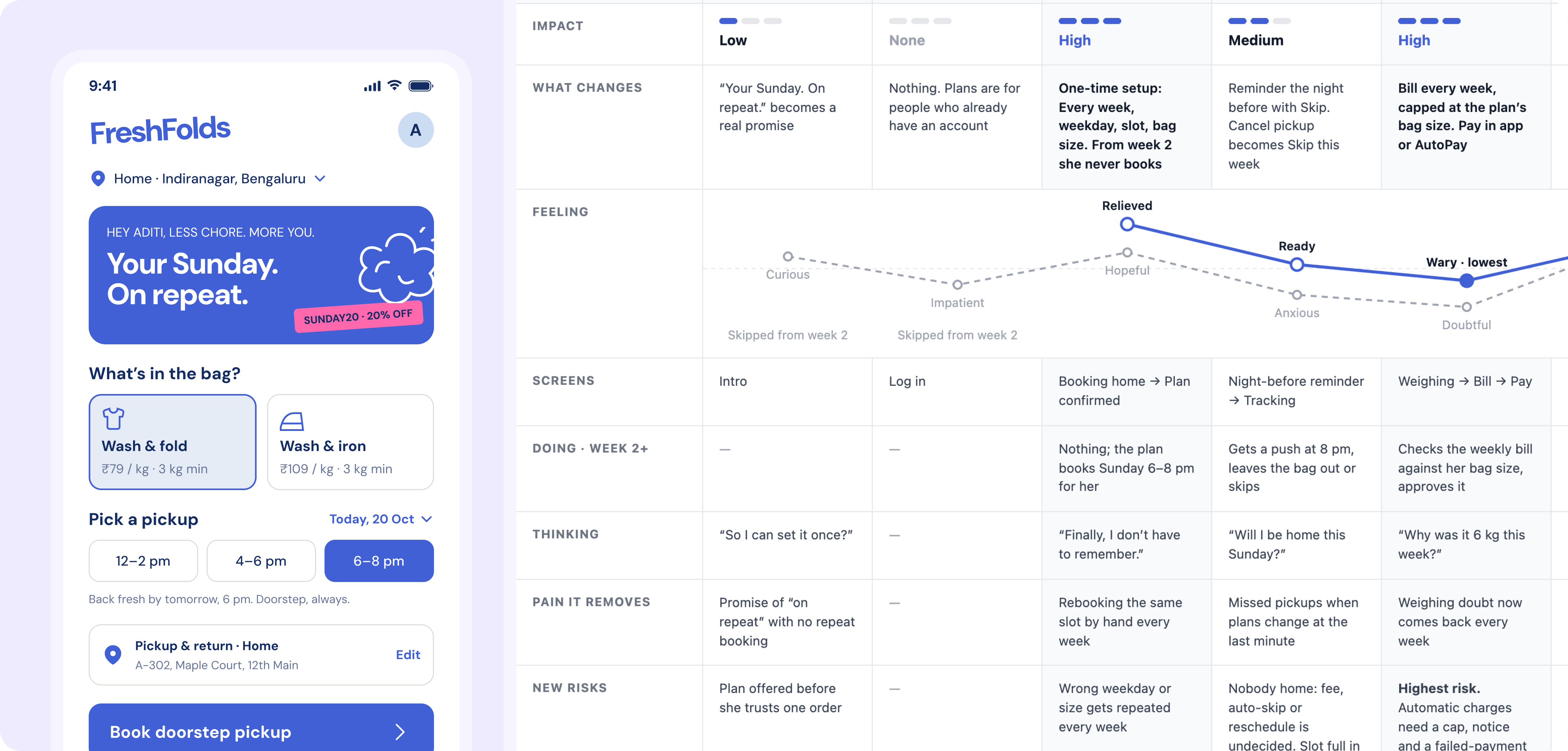
How it works
1
Describe the feature
One or two lines about what you’re adding and who it’s for. In the FreshFold example: letting customers set up a recurring weekly pickup.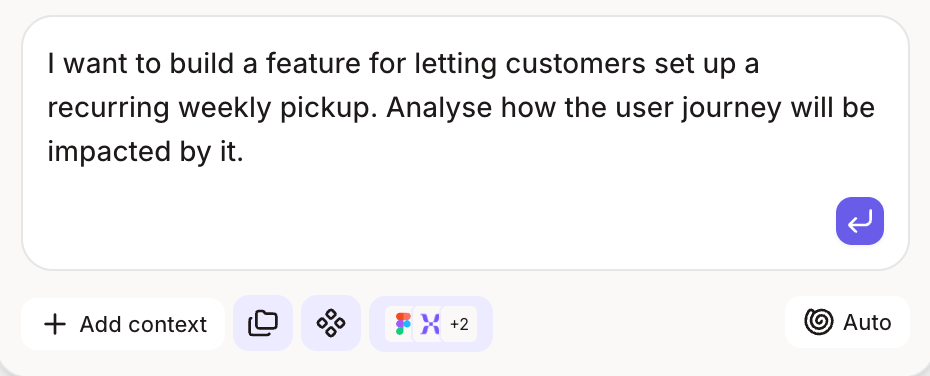
2
Figr finds where it belongs
Figr uses what it knows about your product to find the screens in the journey the feature touches. You don’t point it at files.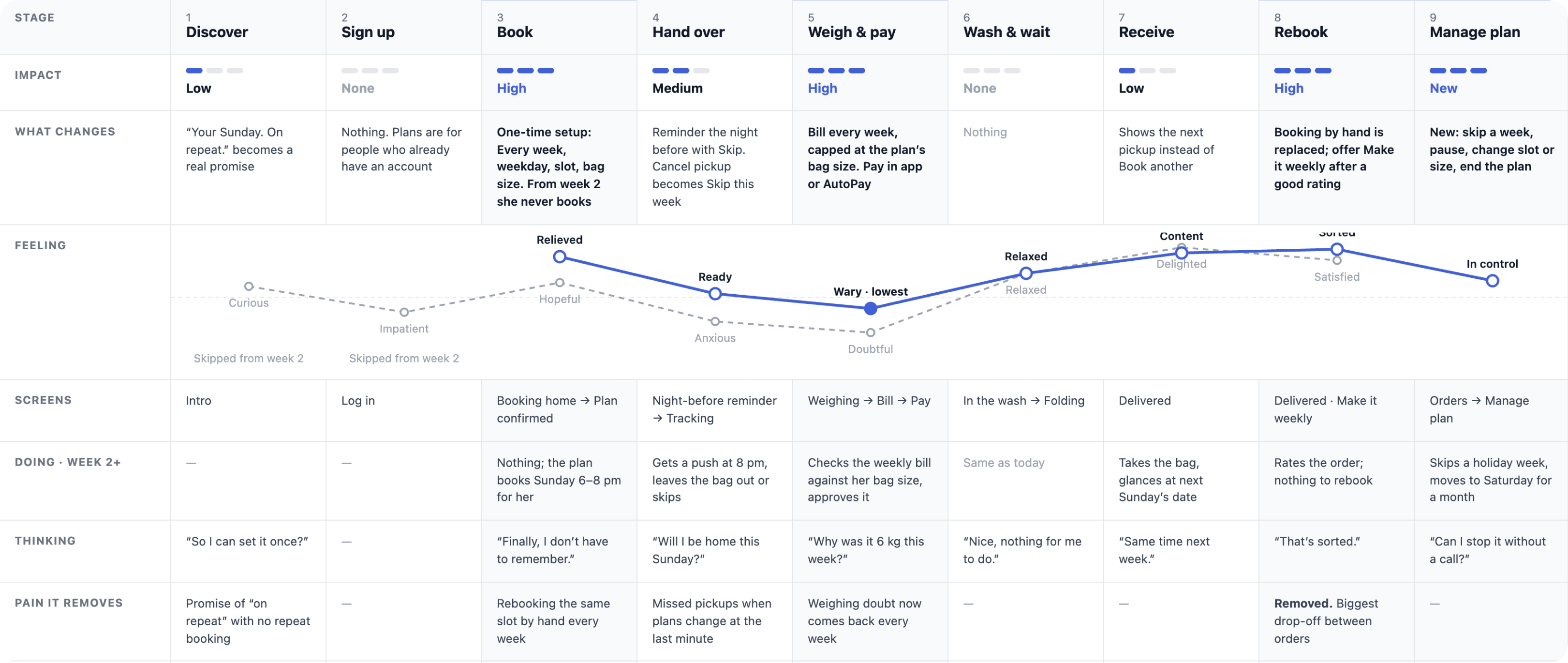
3
Figr designs it in your system
The new screens use your tokens, components and spacing, so they look like part of the product from the first pass.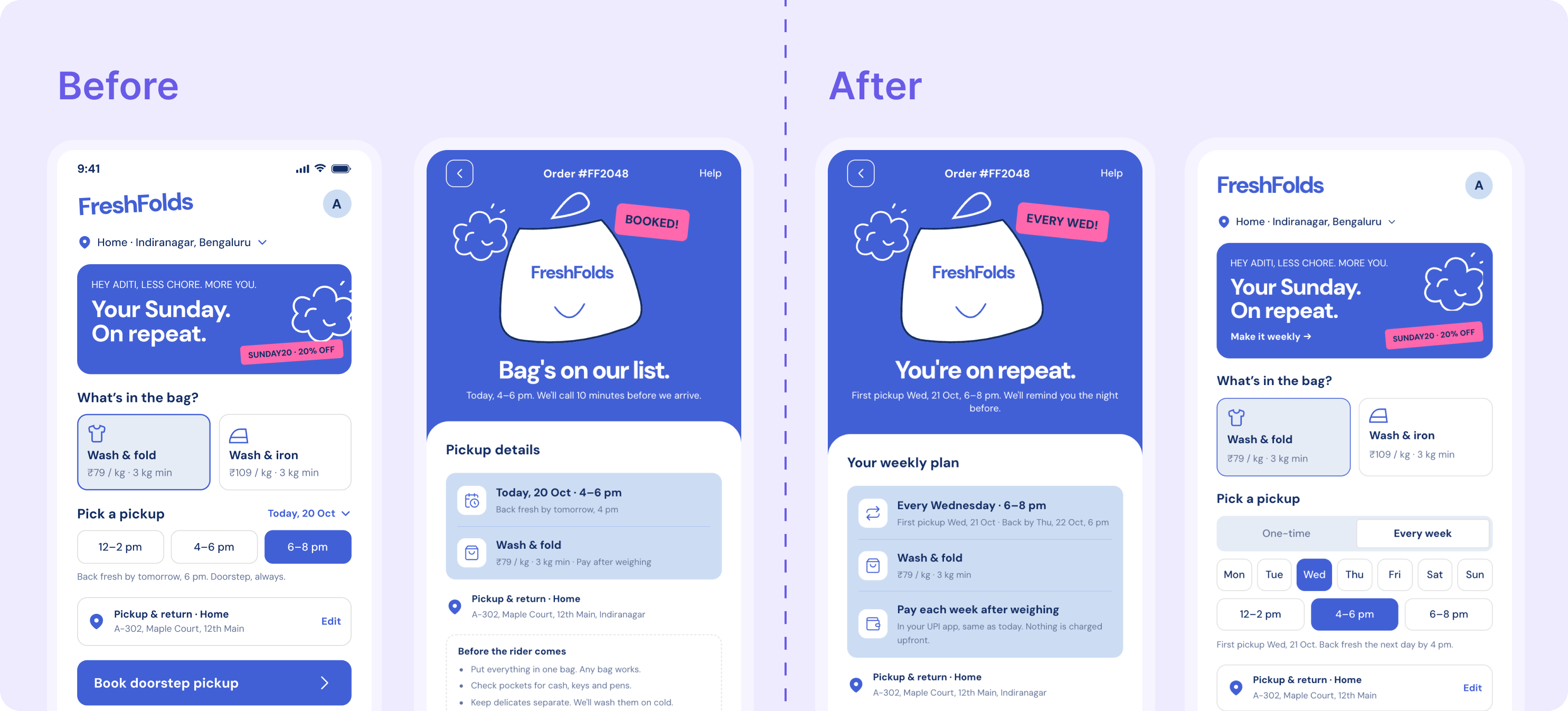
4
Figr fills in every state
A follow-up pass adds the empty, loading, error and edge states for each screen it changed.
What changes for your team
- Designers start from your product, not a blank frame.
- PMs see the full journey, states included, before scoping.
- Engineers get the states they’d otherwise ask about mid-sprint.
Go further
States are where products break. See how Figr maps every edge case in a flow.Edge cases
Map every empty, error and edge state in a flow.
Related
Design system
Make every screen Figr creates use your system.
Research to flows
Next step: turn interviews and walkthroughs into journeys and flows.