

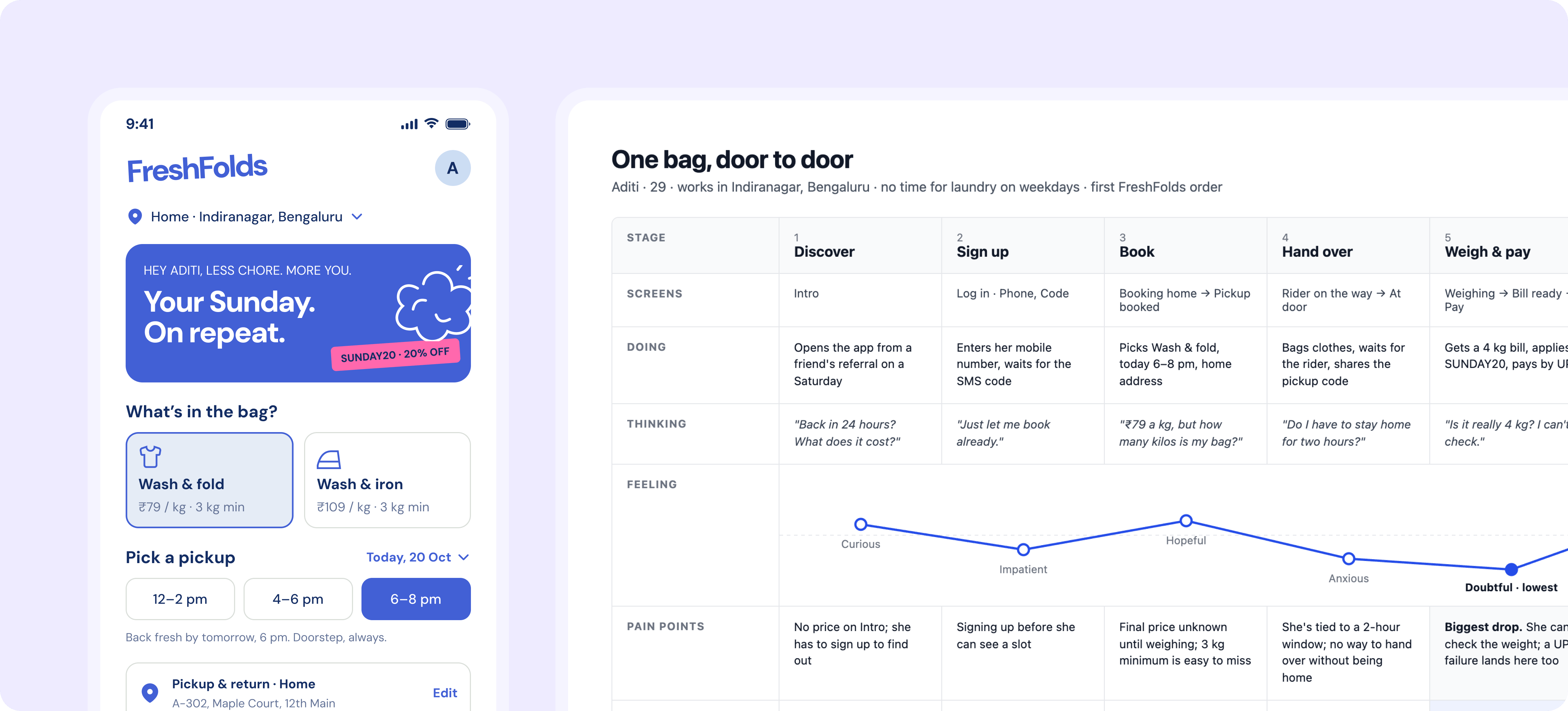
How it works
1
Give Figr your research
Attach interview notes, a walkthrough recording or research docs, or connect the tools where they live. In the FreshFold example: two interviews with customers who book weekly pickups, and a recording of the booking flow.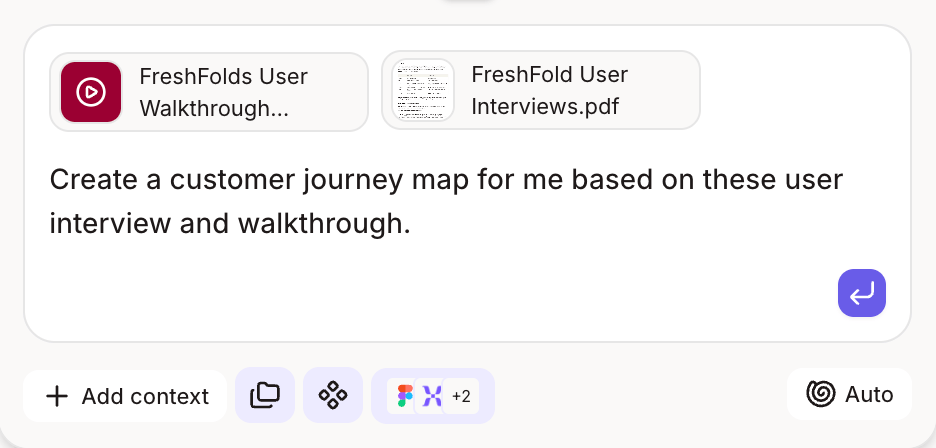
2
Figr finds the patterns
Figr reads every source together and pulls out the goals, steps and pain points that repeat across people.
3
Figr maps the journey
You get a journey map of the experience end to end, with each pain point traced back to where it came from.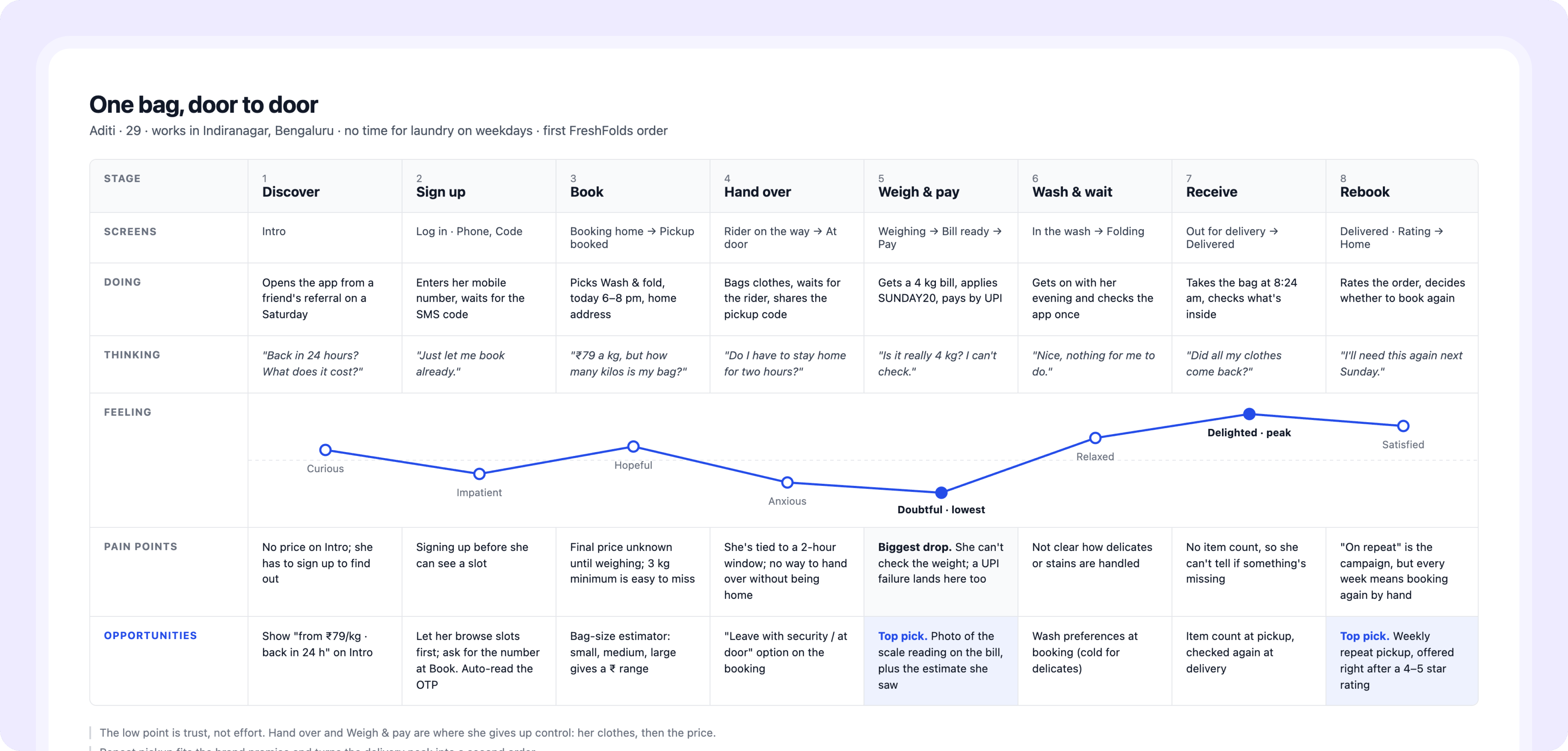
4
Figr turns it into flows
Ask for the flows behind any stage, and Figr maps them step by step, ready to design from.
5
Figr writes the PRD
Ask for a PRD, and Figr writes the problem, goals, user stories, requirements and edge cases from the same research, with each requirement linked back to the evidence behind it.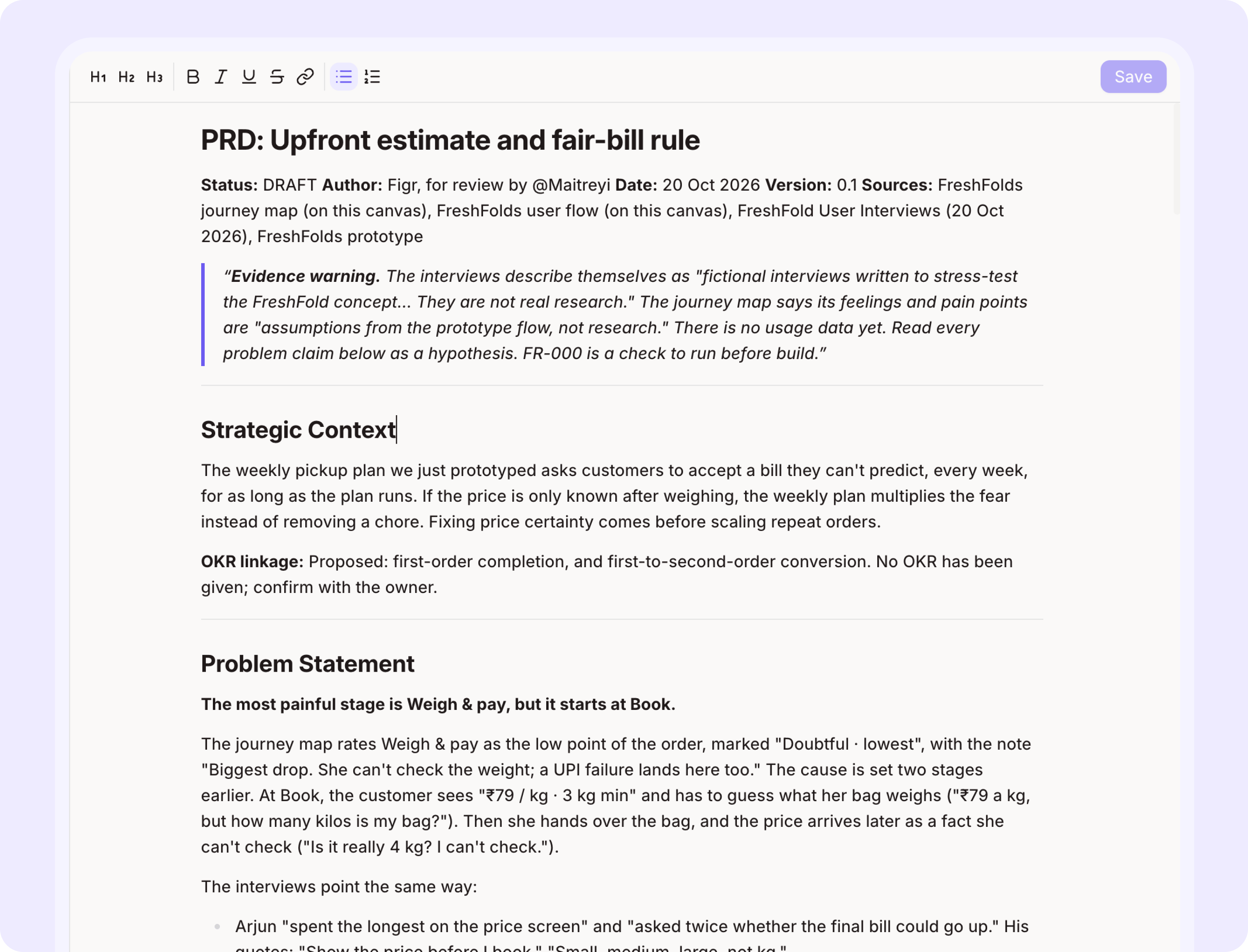
What changes for your team
- Researchers see their findings used, not filed away.
- PMs get a journey the whole team agrees on before scoping.
- Designers start from real user steps instead of assumptions.
Go further
Want Figr to read more of your context? See every source you can bring in.Files and research
Bring in PRDs, research docs and screenshots.
Related
Screen recordings
Record a walkthrough Figr can learn from.
Many directions, one decision
Next step: explore real options and get sign-off.