

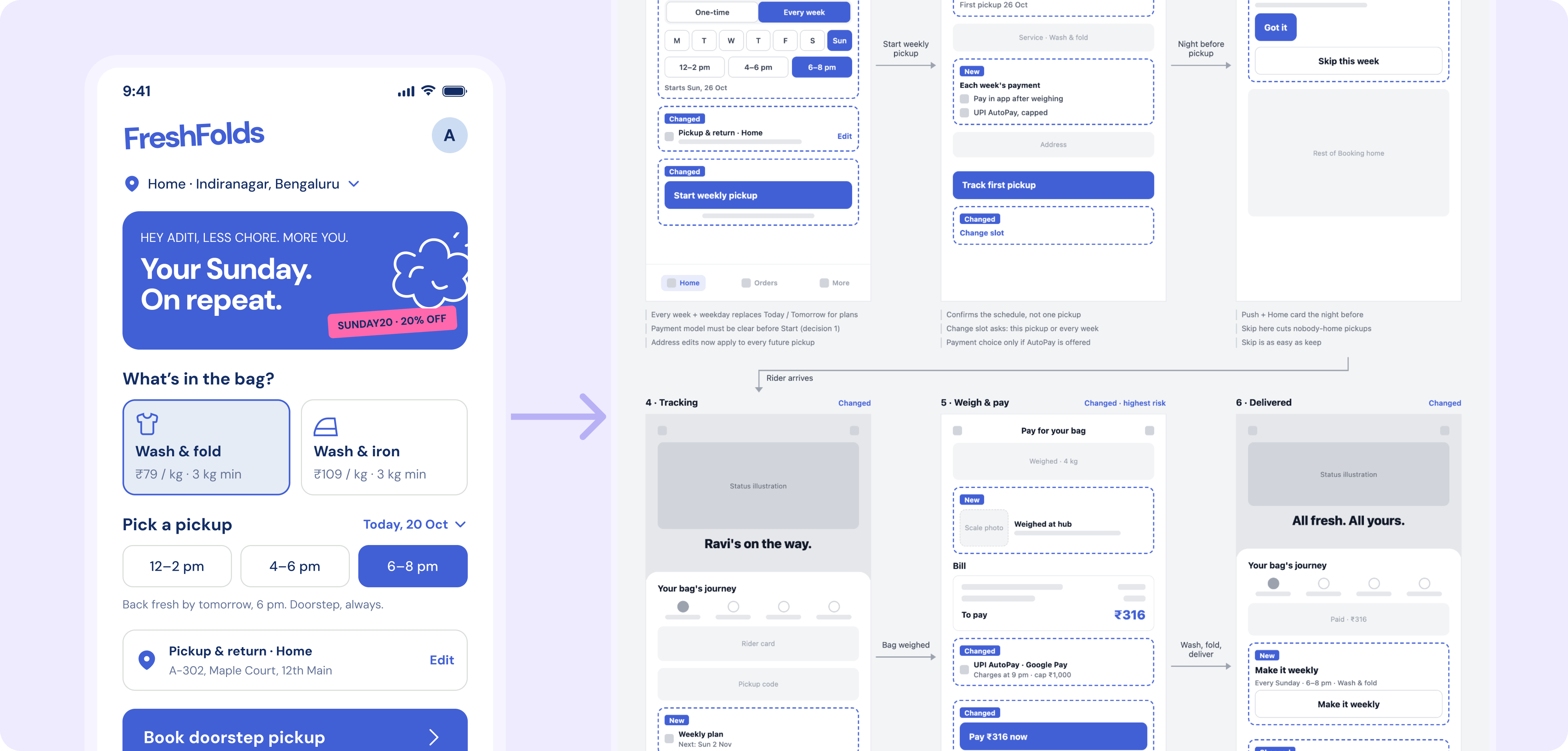
How it works
1
Describe the change
One line is enough. In the FreshFold example: letting customers set up a recurring weekly pickup.
2
Figr checks what it knows about your product
Figr uses your Context Pod, the product knowledge it keeps for your team, to find every place the change shows up.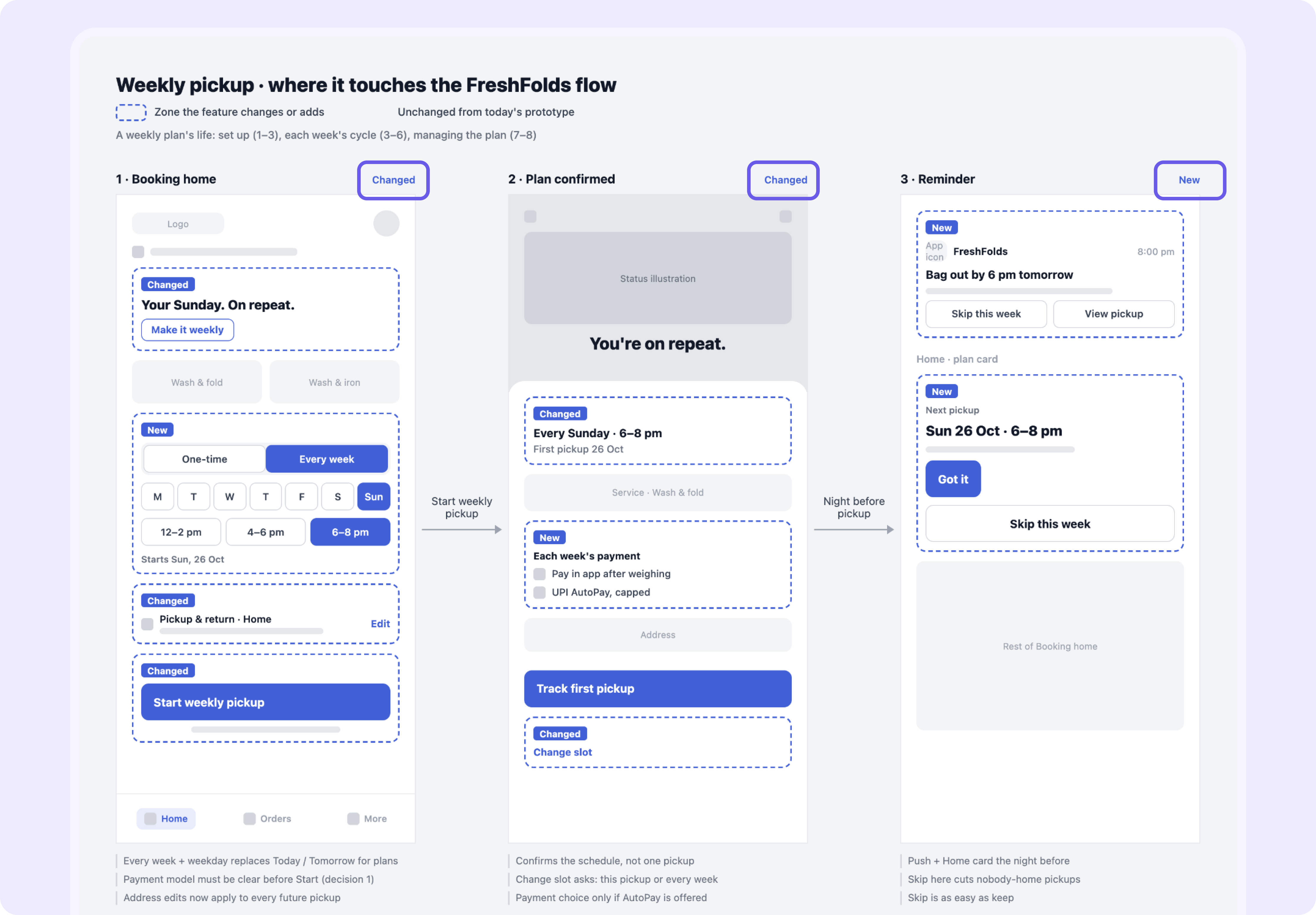
3
Figr maps the impact
You get every affected screen, with what needs to change on each and where changes overlap.
4
Figr designs the updates
Ask Figr to update the affected screens, and it designs them together so they stay consistent.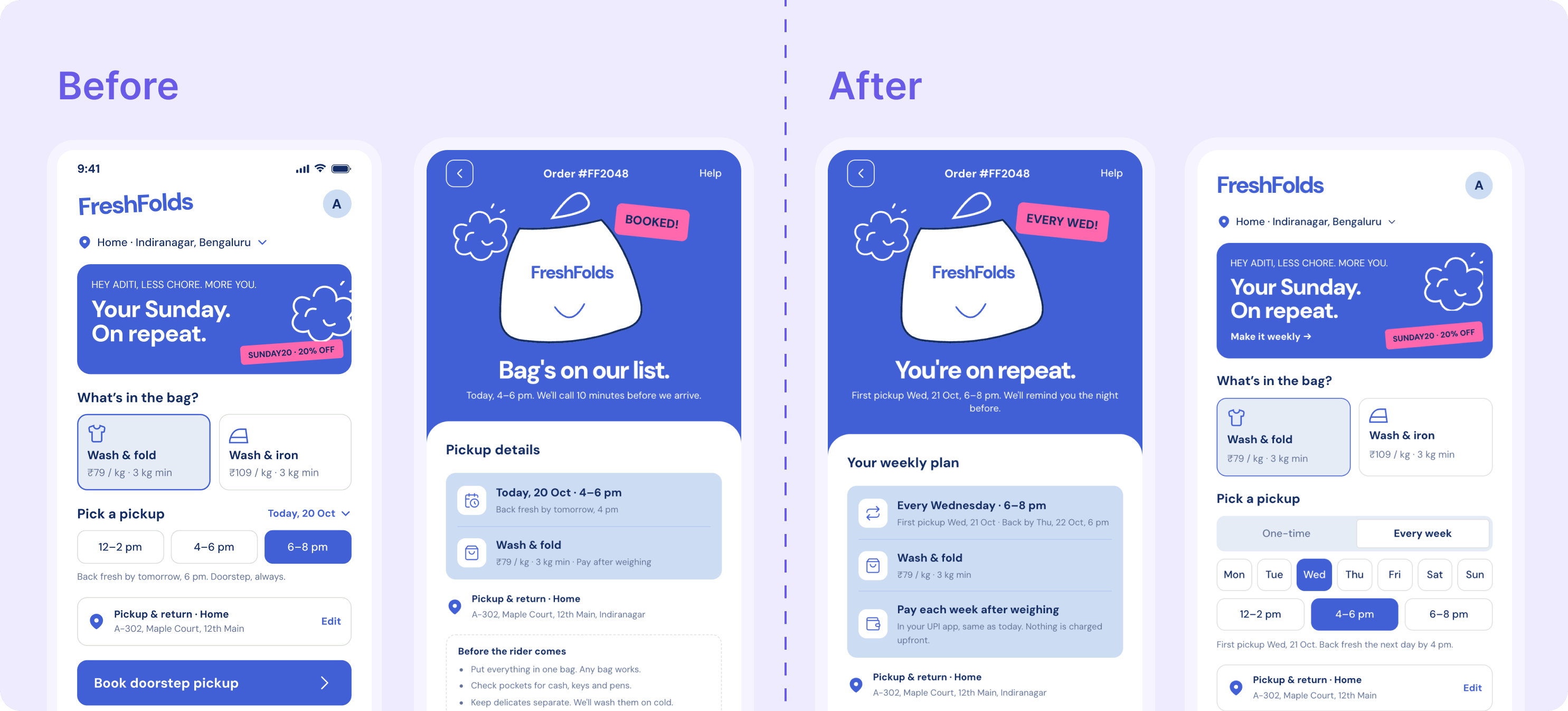
What changes for your team
- PMs scope with the full picture, not a guess.
- Several PMs on one area see each other’s changes before they collide.
- Engineers stop finding missed screens mid-sprint.
Go further
The more Figr knows about your product, the more it can trace. See how to build your team’s Context Pod.Context Pods
Build the product knowledge Figr uses on every project.
Related
Context Pods
Give Figr reusable knowledge of your product.
Audit and redesign
Next step: audit a flow from a recording and redesign what’s broken.