

How it works
1
Connect your design system
Bring in your tokens and components once. The whole design system with its colors, type, buttons, cards and form fields.
2
Ask for the prototype
Describe the flow you need. Figr builds high-fidelity, clickable screens using your tokens and components, not lookalikes.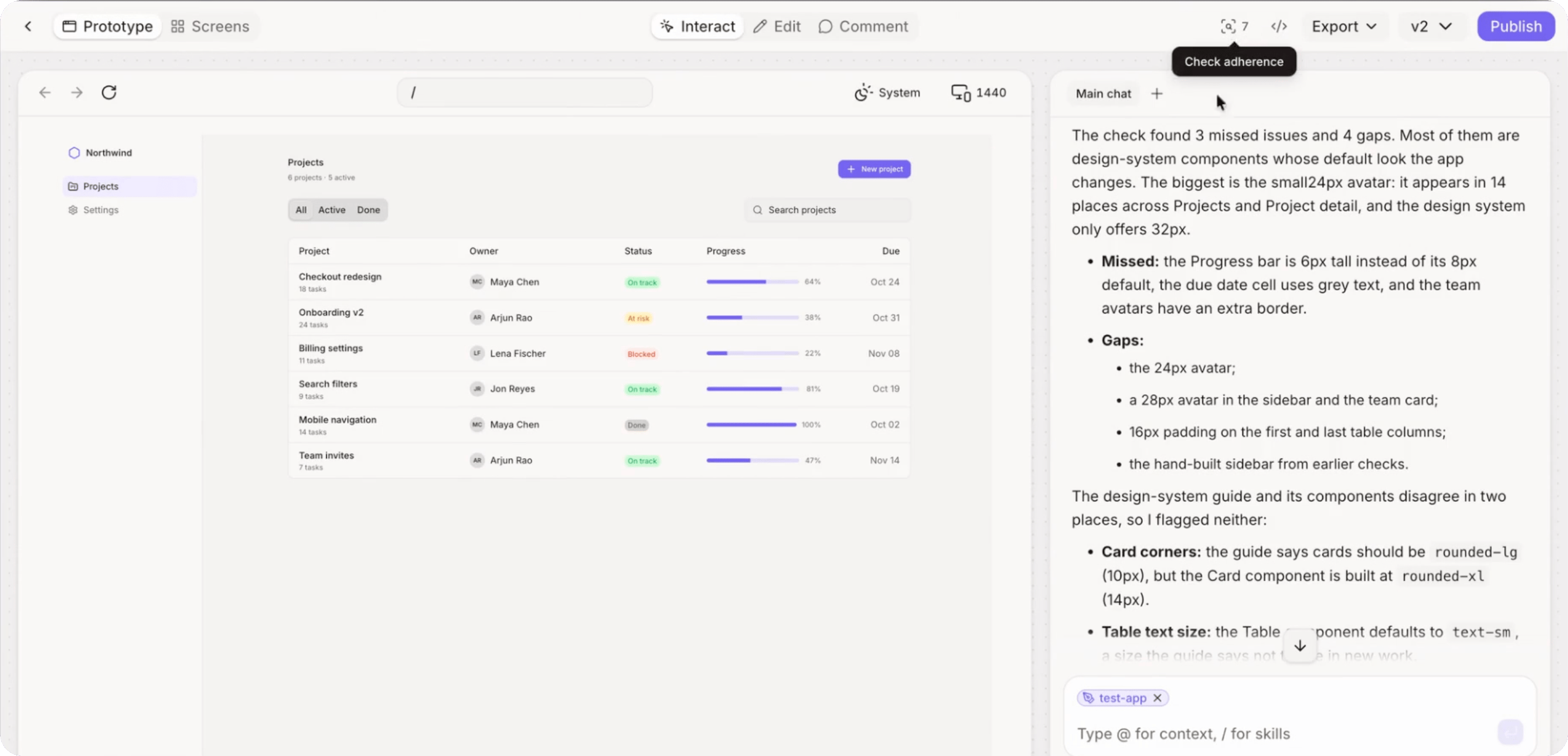
3
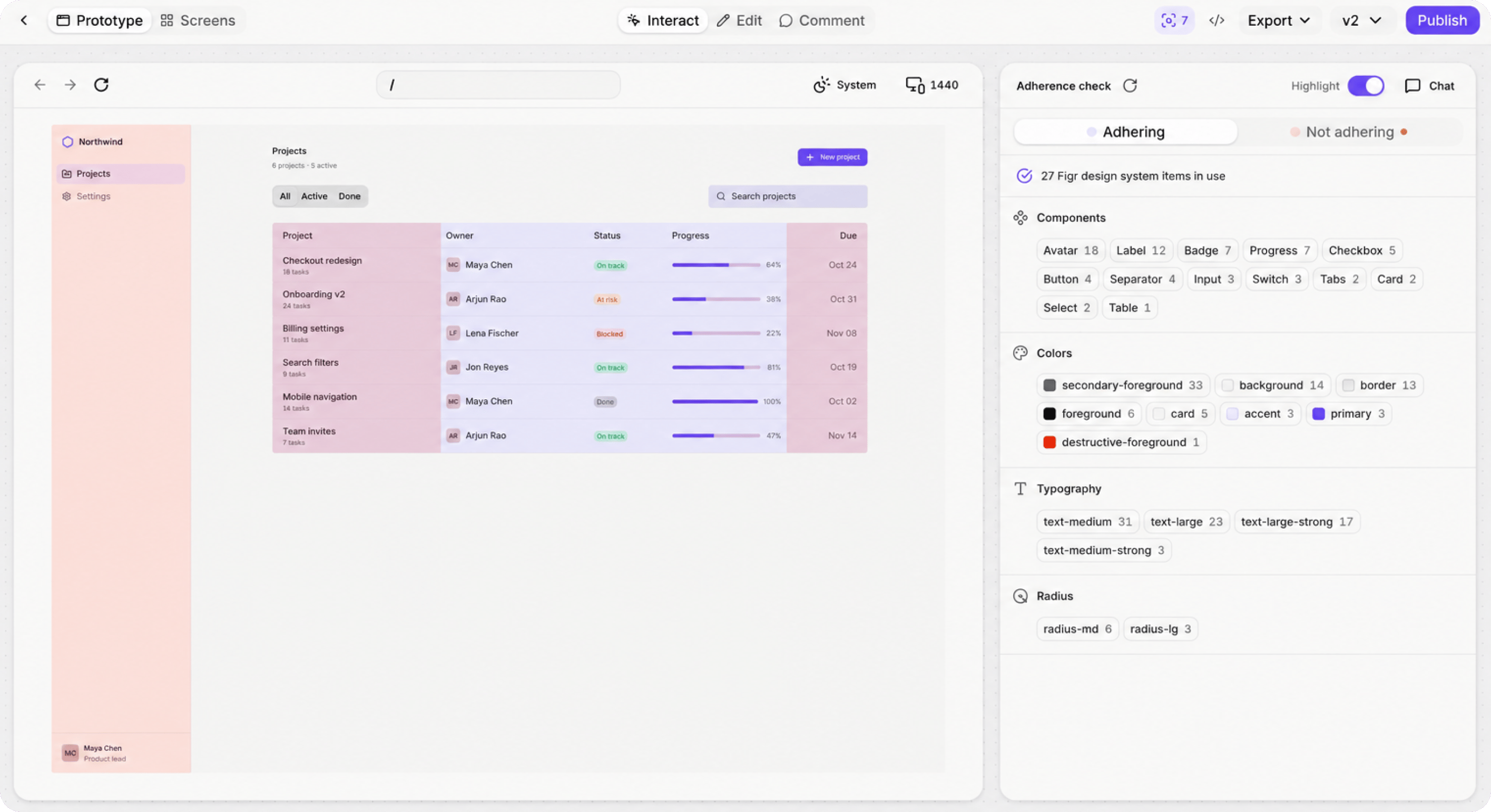
See how compliant it is
Figr checks every screen against your system and shows how much of it follows the design system, with each off-system element marked on the screen.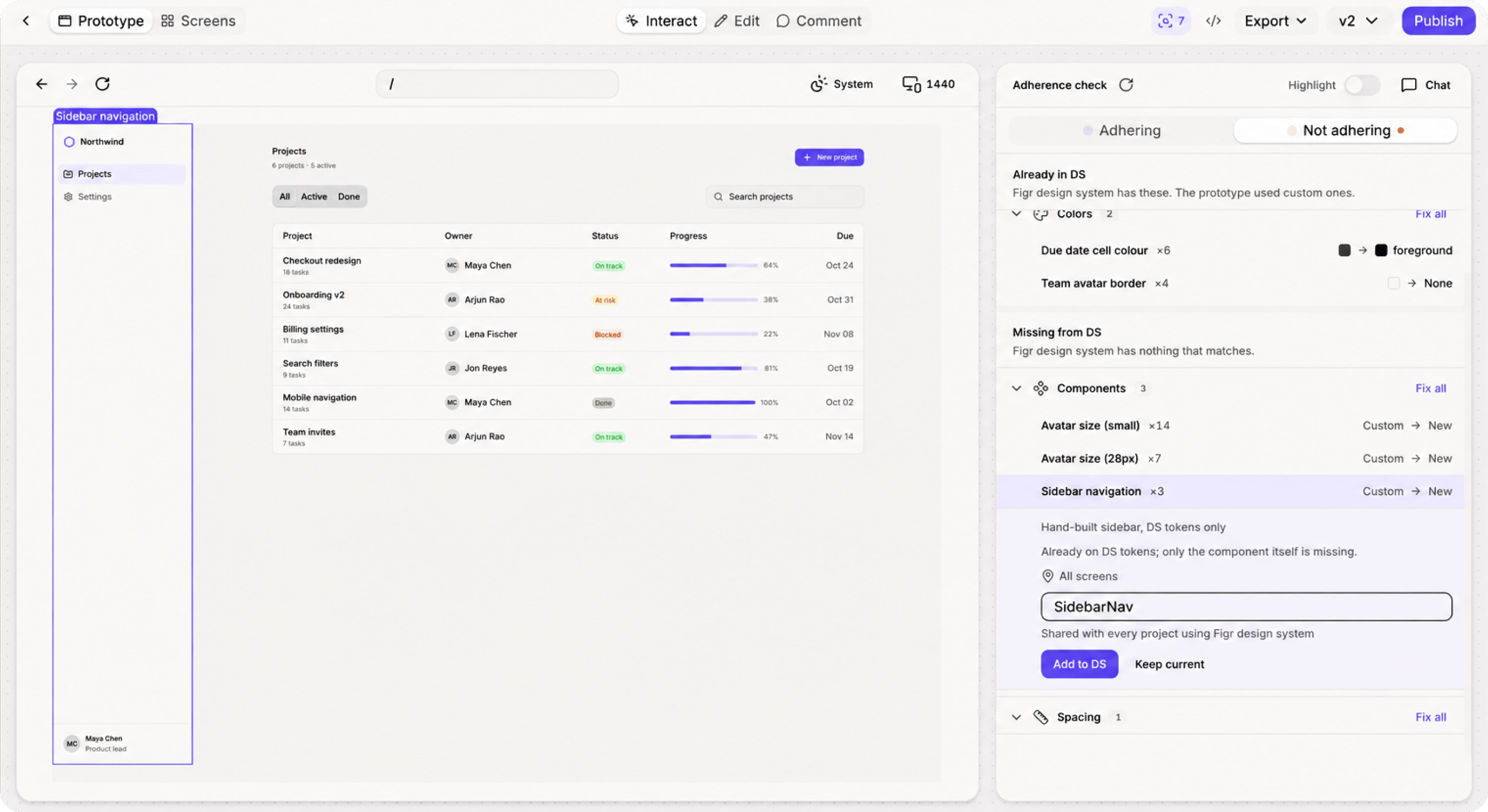
4
Fix it in one step
Pick the flagged elements and ask Figr to swap them for the right tokens and components. The screen comes back fully on-system.
What changes for your team
- Design system teams can trust what Figr makes, because they can see the proof on every screen.
- Designers stop checking every color and component by hand.
- Reviews move from “is this on-system?” to “is this the right design?”
Go further
Want to fix a single element by hand? Select it on the canvas and edit it directly.Direct editing
Change text, color, spacing and layout without regenerating.
Related
Design system
Connect and edit your tokens and components.
Draft to Figma
Next step: send the compliant prototype to Figma.